

Better map styles, more customizations
This release gives your tracking maps a better look. Every map now runs on RACEMAP's own map styles, including a new "Light" style. The event editor collects all settings related to customizations in one place (appearance), and every colour picker can now offer your logo's colours. Participant changes from RACE RESULT reach the tracking map within seconds, and the participant list shows numbers that match your usage.
What's new
A new base map under every race
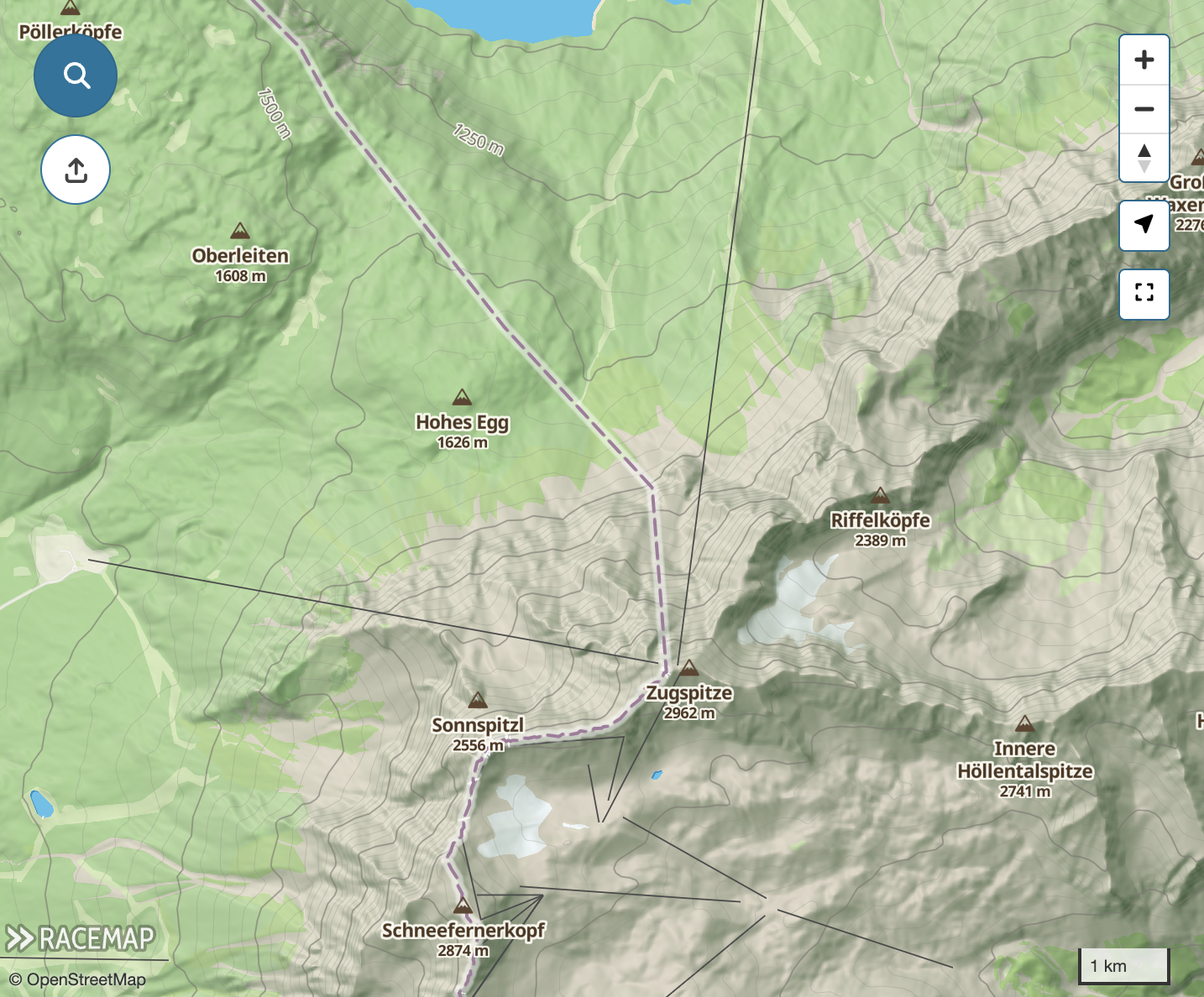
On the tracking map, the base map now comes from RACEMAP's own map styles. The same goes for Safemap, the event editor, the prediction maps, and the small map in Tracker Management. You can select Terrain, Streets, Satellite, Hybrid, Dark, and the new Light style. Light is a calm, bright background that keeps your tracks and markers in front. Labels on Dark are easier to read, and only the OpenStreetMap credit remains in the corner of the map. Each style has a fixed version. When we improve a style, maps you have already published keep the look you chose. The map styles page lists every style.
A smoother tracking map, now usable by keyboard
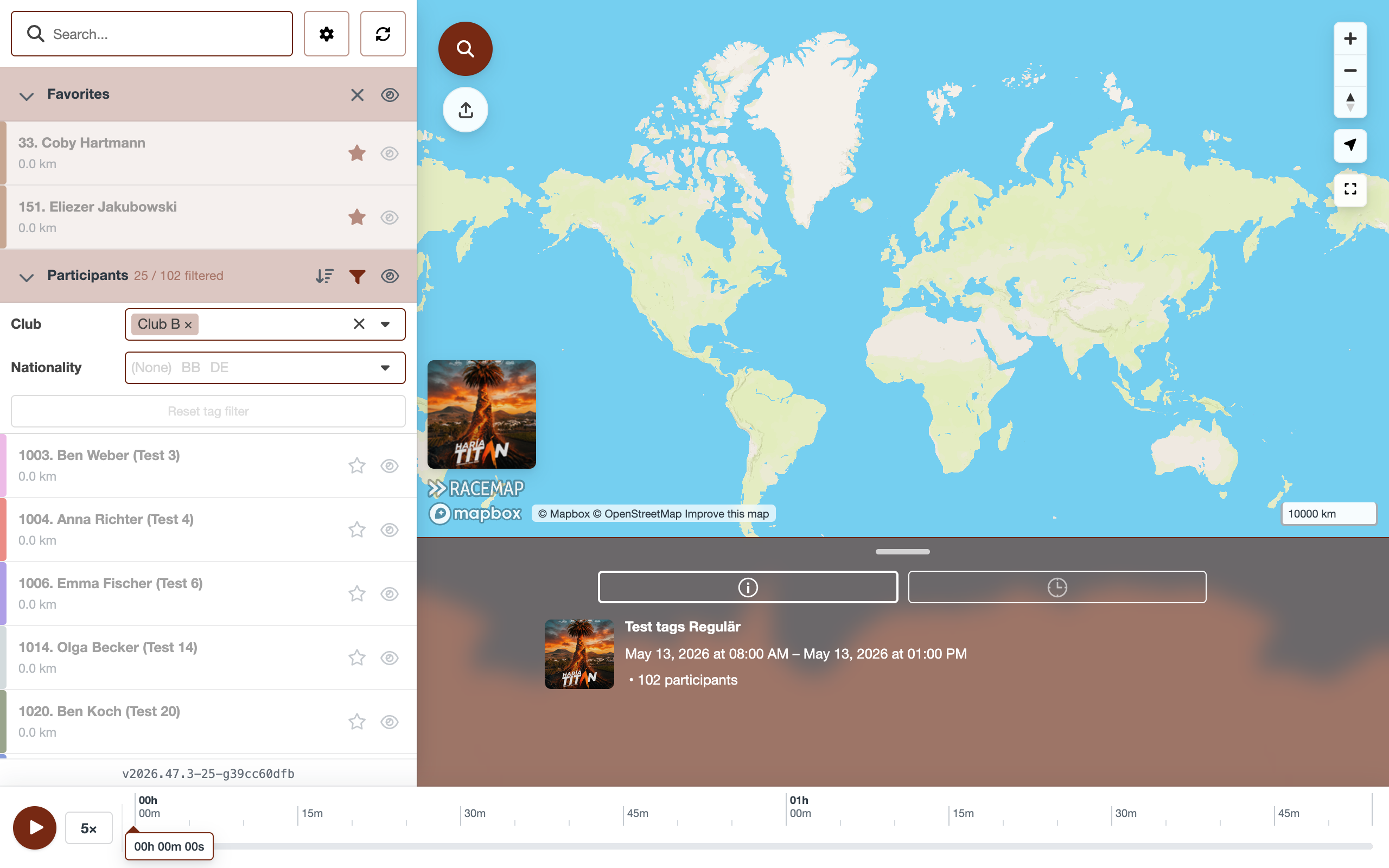
The tracking map keeps its layout and gets a careful polish. Map buttons, search and share have soft shadows and clear hover states. The sidebar has calmer participant rows with a tinted selected row. Sections and sort or filter rows roll open and shut smoothly. Replay is now a round button, and the playback speed opens as a floating menu. On first load, the control bar rises, then the sidebar and info sheet open together.
Spectators who use a keyboard can now tab through search, play, speed and the sidebar icons in a sensible order, with one clear focus ring. The selected participant's flag gets a halo, so it is easier to spot in a crowd.
Every display setting in one place, with the elevation profile included
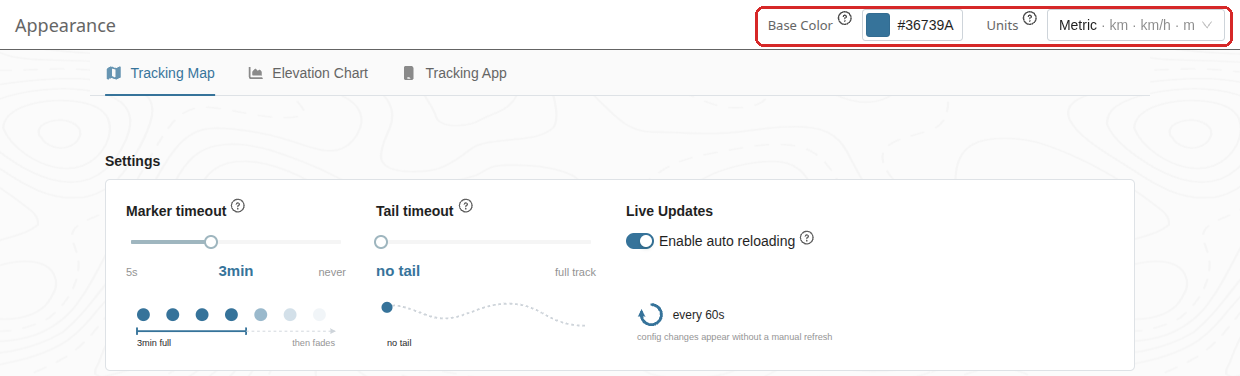
In the event editor, all display settings now sit under Appearance, with one tab each for the Tracking Map, the Elevation Chart and the Tracking App. Base Color and Units are in the Appearance header. You can reach them from every tab, and a "?" hint explains what each one affects.
The new Elevation Chart tab shows the link to your stand-alone elevation profile, with buttons to open and copy it. You can set its defaults for progress, grid, axes and points of interest, and a live preview shows participants as dots on the profile. Links you have already shared with URL parameters keep working. Marker and tail timeouts are now sliders. The sidebar preview finally shows distances in your event's units. On phones and tablets the editor scrolls as one page, and its tab bars stay pinned.
Advanced settings you can understand at a glance
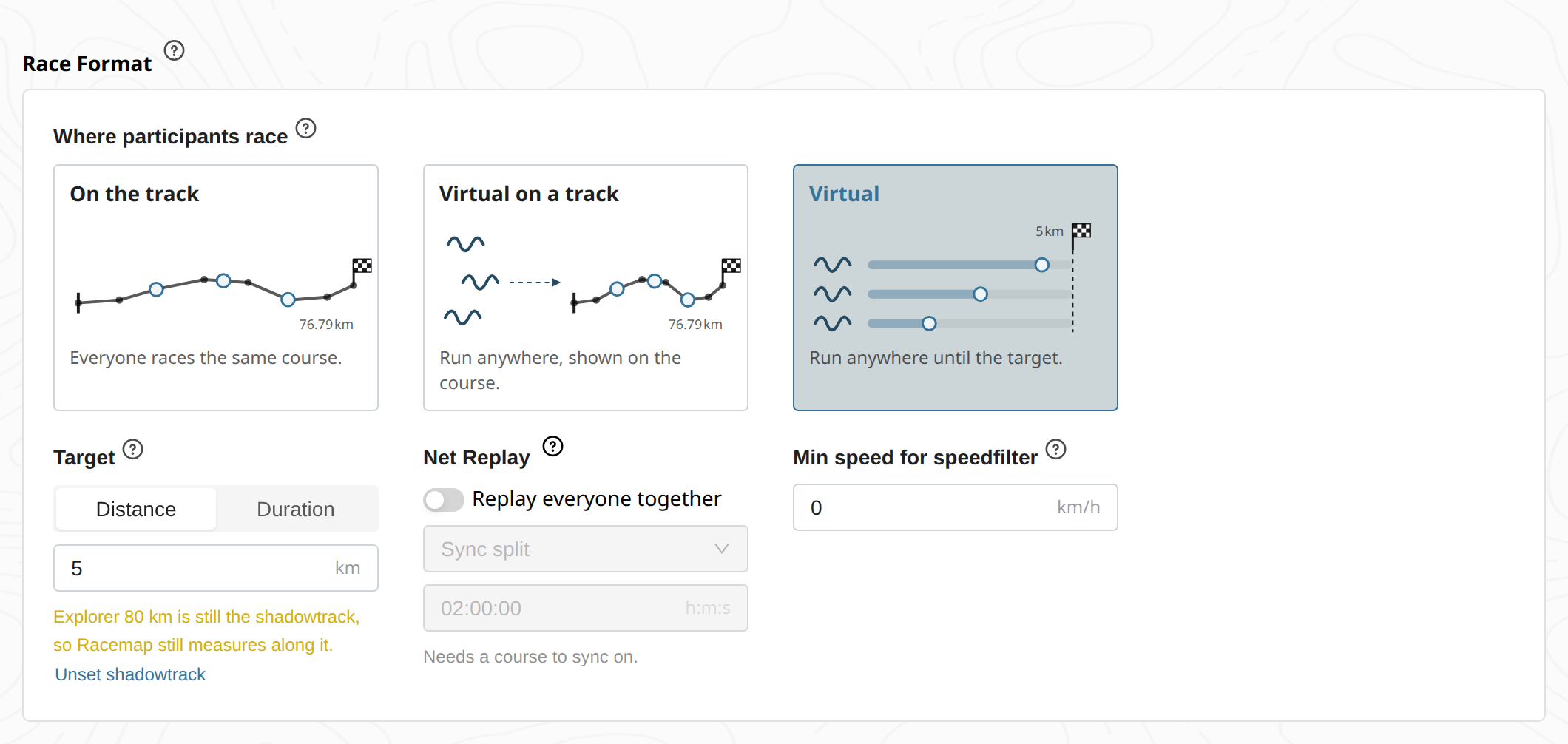
In the event editor, the Advanced tab is now a set of clear cards: Actions, Manage Access, Tracking Map, Mapping, Custom Apps and Race Format. Every distance and speed field shows its unit and follows your event's unit system. The old Danger Zone is gone. Archiving and duplicating a tracking map now sit together under Actions.
Pinning is now three picture tiles: None, Magnetic and Forced. Each one draws your actual mapping distance and shows where the flags end up. Race Format replaces the old Progress grid with three tiles: On the track, Virtual on a track and Virtual. Settings that have no effect grey out with a reason instead of disappearing. On the Leaderboard tab, Units and Base Color move into the header. The Break timeout becomes a slider, and Overall Challenge gets its own switch.
Pick colours straight from your logo
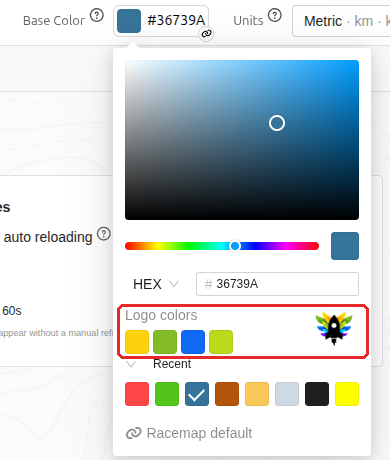
In the event editor, all six colour pickers now work the same way: base colour, leaderboard header, participant markers, the bulk marker dialog, and the colours of tracks, points of interest and splits. Once your event has a logo, every picker offers its colours, so your tracking map matches your brand in one click.
A colour you haven't set now shows the colour it inherits, instead of an empty swatch with a red line. A small badge tells inherited colours and your own colours apart, and you can reset any override with one click, including for several selected participants at once.
Inherited colours you can see and reset in one click
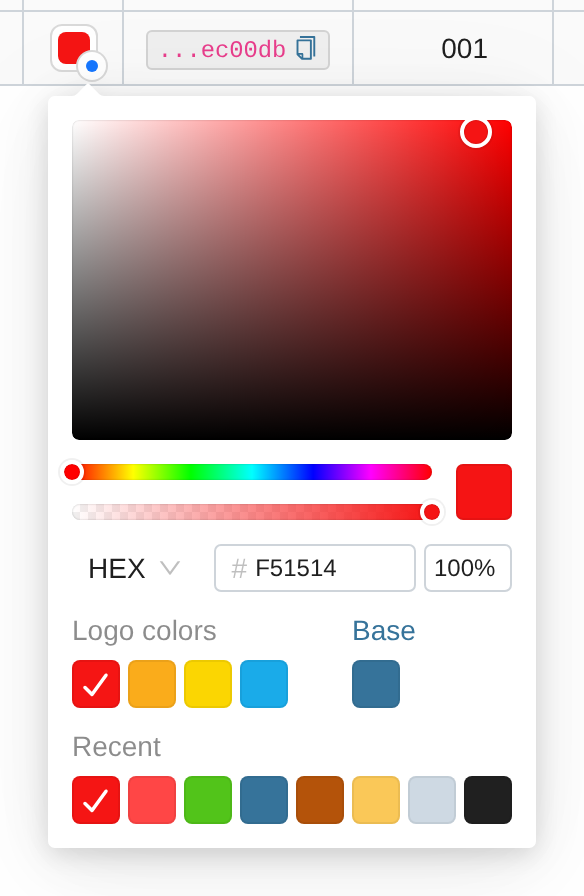
In the event editor, each colour picker now shows the inherited colour as its own Base swatch next to your logo colours. Clicking it resets an override, and it links to the Appearance tab where the base colour is set. A check mark shows which swatch you are using now. The picker no longer grows wider than the screen.
On the tracking map, tracks, points of interest and participants without their own colour are now drawn in Racemap blue when the event has no base colour, just as the editor shows them. Before, they appeared white. The leaderboard also gets a tidier layout: logo, table and footer line up, the search sits on the right, and the "not activated" watermark stays inside the leaderboard.
Decide what's shown in a group without changing its contests
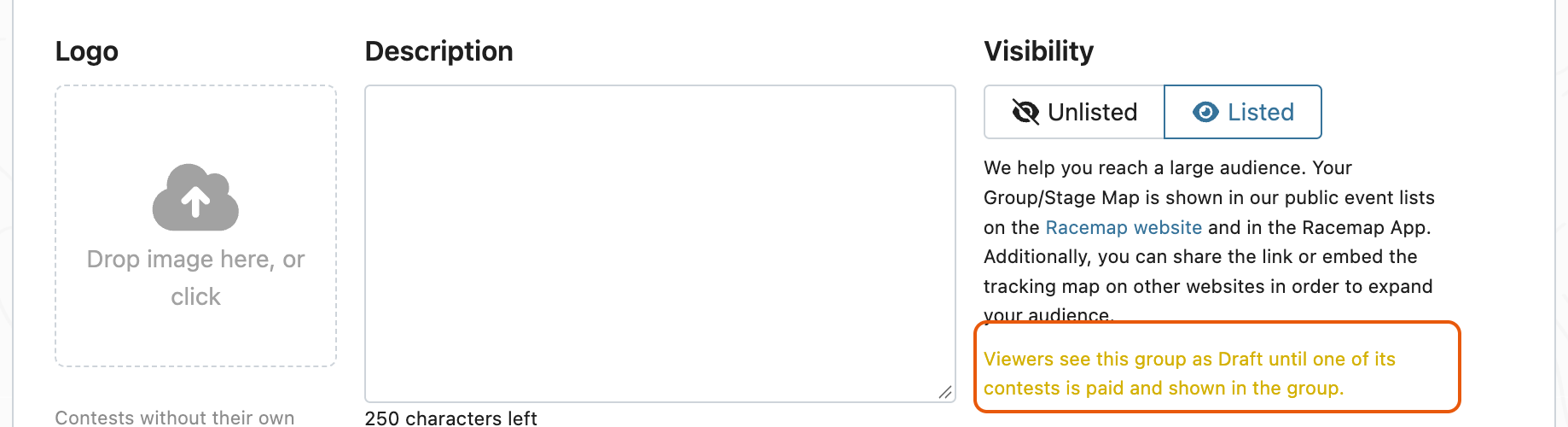
In the event editor, a group event now keeps the visibility you choose for it, Unlisted or Listed. The eye in its list of contests or stages now switches Shown in group and no longer touches the contest's or stage's own visibility. Each new contest or stage is shown in the group by default. Spectators see it once it is paid.
Spectators see the group at the lower of your choice and its most visible shown, paid contest or stage. When they see less than you chose, the editor tells you so under the visibility switch. The group map guide has a new Visibility section that explains the rules.
RACE RESULT changes on the map within seconds
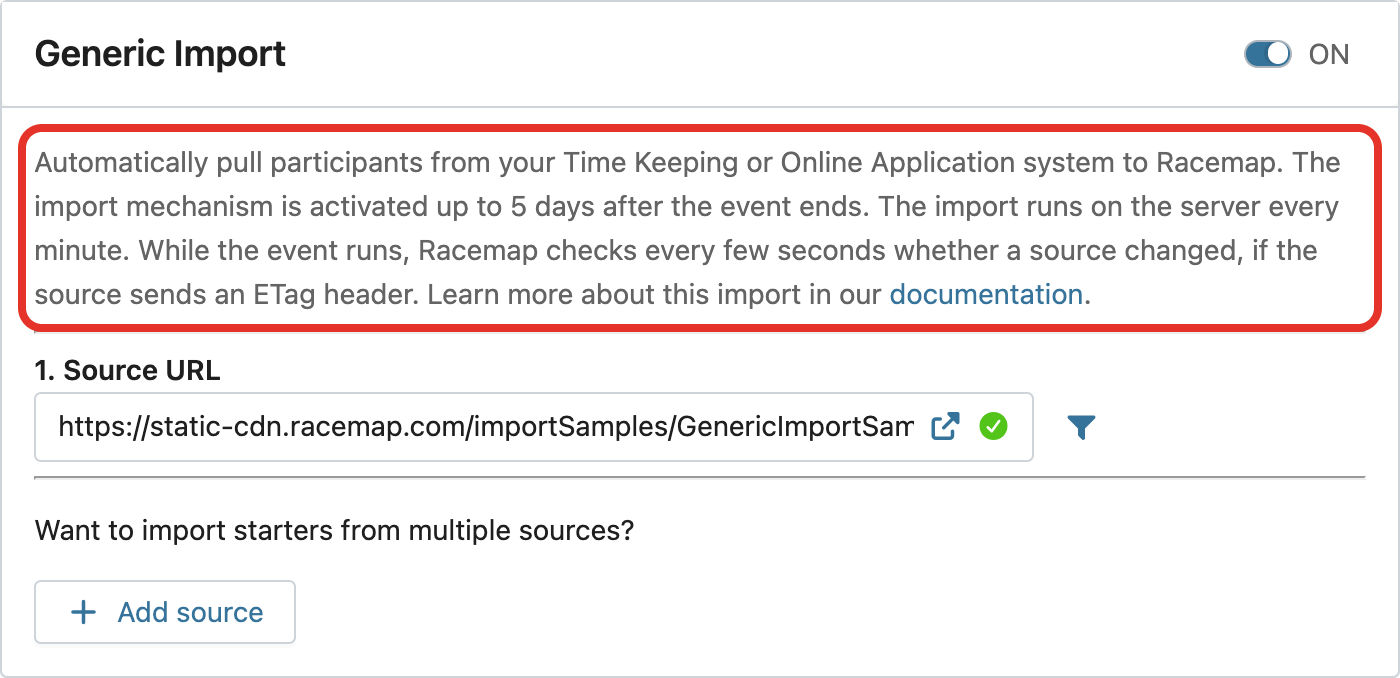
In participant sync, changes in RACE RESULT or another participant source now reach Racemap within a few seconds while your event is running. Before, they could take up to 90 seconds. Late registrations, corrected names and swapped start numbers show up on the tracking map almost as soon as you enter them. Racemap only asks the participant source whether anything changed, so unchanged lists aren't downloaded again.
The RACE RESULT import guide has a new section on update intervals.
Participant numbers that match your usage
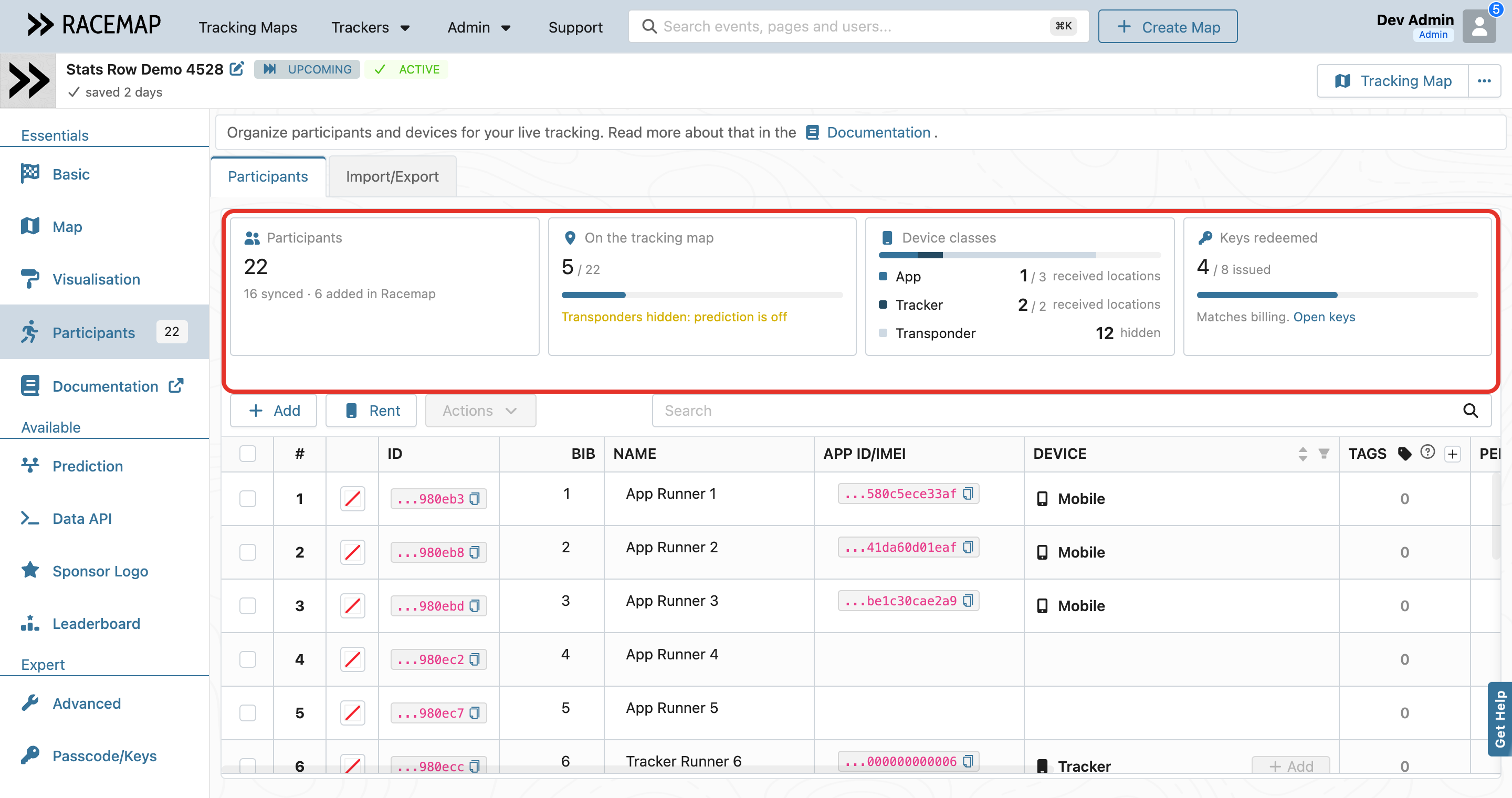
In the participant list, a new statistics row replaces the old badges. It shows your participants (synced and added in Racemap), how many are on the tracking map, App and Tracker participants with received versus assigned counts, and redeemed versus issued keys, counted the same way as billing. It adapts to wide screens, narrow windows and phones.
Participant sync now keeps a redeemed key when the participant source stops sending it, so a sync on race morning can no longer disconnect participants who are already using the app. A different key from the source still replaces it, so you can swap a key someone redeemed on the wrong phone.
Leaderboard headers that follow your brand
On the leaderboard, the header now takes your event's base colour unless you set a header colour of your own. The old grey default is gone. New events no longer store a fixed base colour, so the colour pickers can show what is inherited and what you chose.
Try the Connection Chart without a tracker
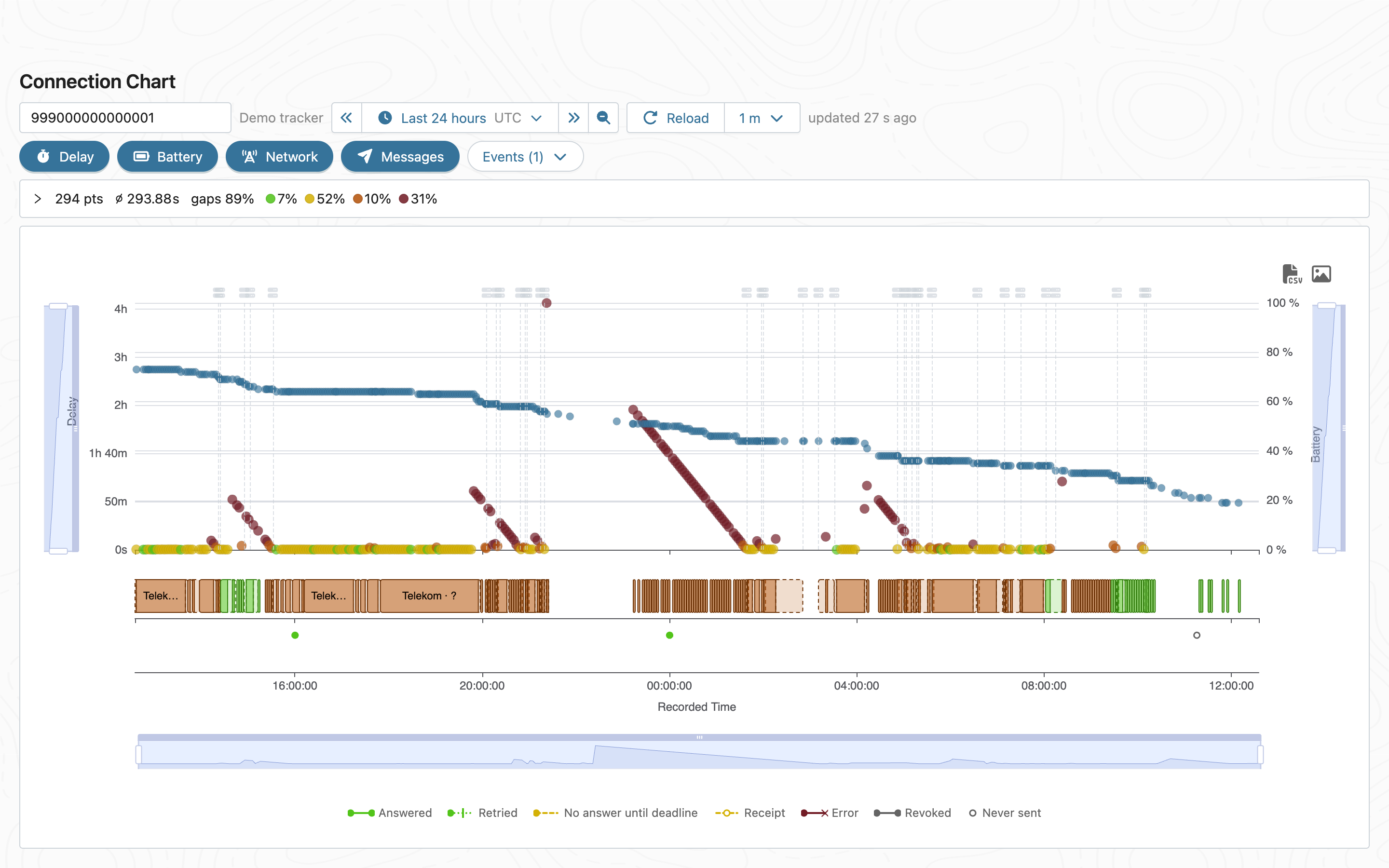
In Tracker Management, the Connection Chart now has a public demo that anyone can open without logging in. It replays three days of a real tracker live: buffered batches, connections hopping between mobile cells, a draining battery and a long silent stretch. You can learn to read the chart before your own trackers are out on the course. The Connection Chart guide now links to it.
A list of your own events
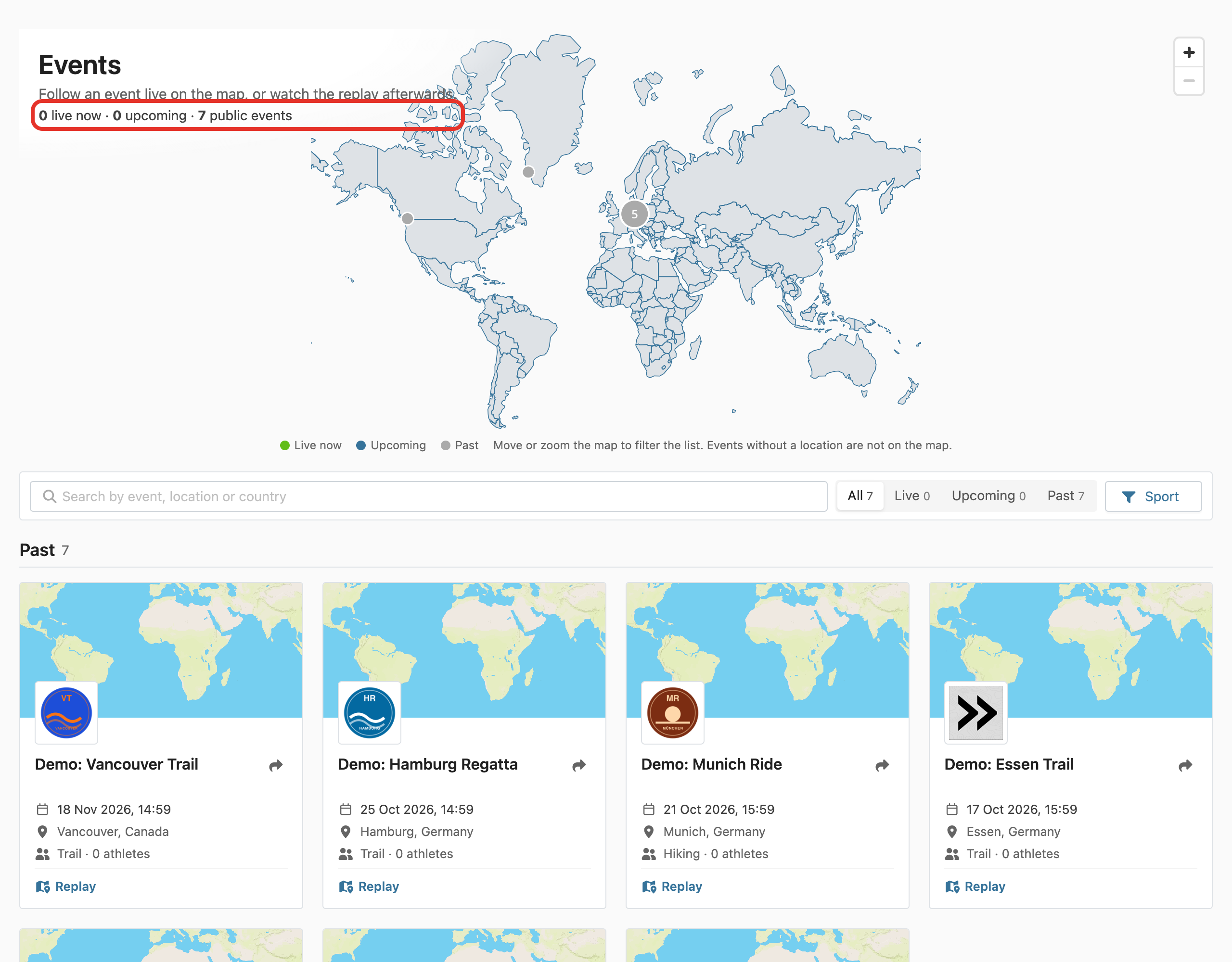
If you are using the custom tracking app, you can now show your brand's events in a list. Put it on your website as your own event calendar. Searching there is also smarter: a sport, a year or a typo now finds the same events in the list, the counts and the map. Sample: https://racemap.com/events?brand=60c1d29119d4a6233c600729
Data API reference generated from the source
In the APIs, the Data API now has a published OpenAPI description. The reference pages on docs.racemap.com are generated from it, so every parameter, alias and response field matches what the API actually sends. Several old inaccuracies in the docs are corrected along the way. See the current locations reference.
Locate me without a repeated popup
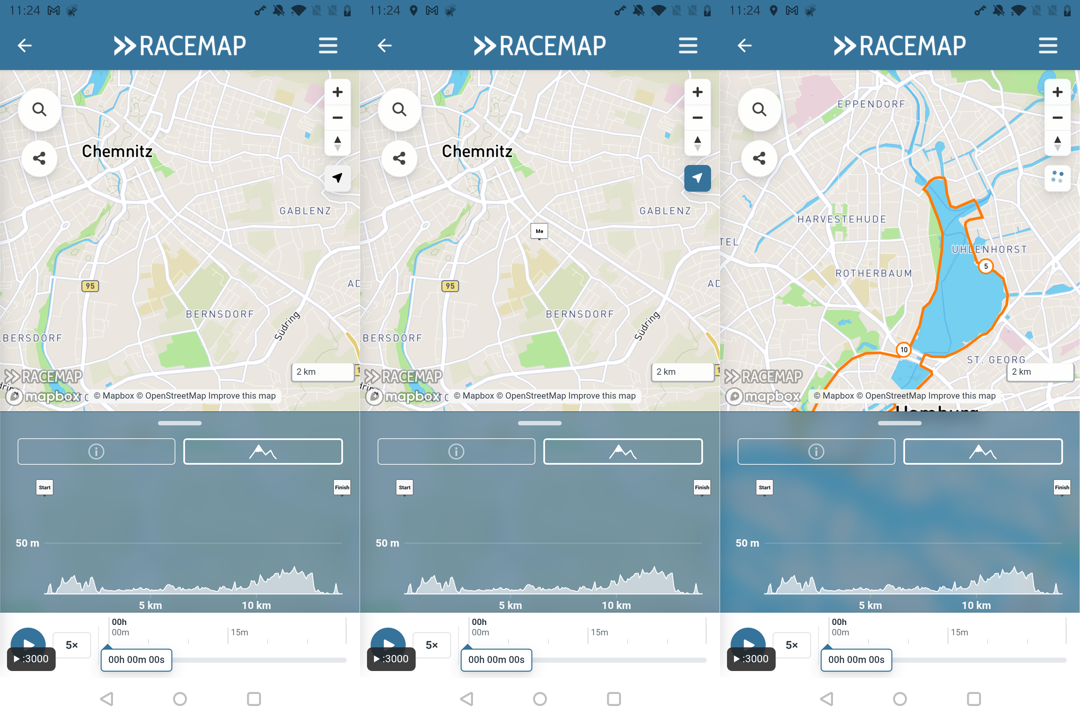
In the Tracking App on iOS and Android, pressing locate me on the tracking map no longer shows "Location Permission Required" every time. If location is already allowed, your position appears at once. Otherwise the app asks you itself. This works in every app version, with no app update needed.
Other changes
- Contour lines for the whole planet on the Terrain, Dark and Light map styles
- Sizing notes for the contour line generator, and proper tileset descriptions