

Share what you made, see your race in your colours
This release is about the moment after the finish line — and the long tail of details that make the back office pleasant to work in. Race videos are now one tap away from a WhatsApp chat, the tracking map carries your event logo and colours wherever a participant opens it, and a long list of phone-sized layout problems in the event editor and the back office are gone. Add to that clearer mails for every share, every billing cycle and every unfamiliar login, and the tracking platform tells you more about what it is doing on your behalf.
What's new
One tap from the finish line to a WhatsApp chat
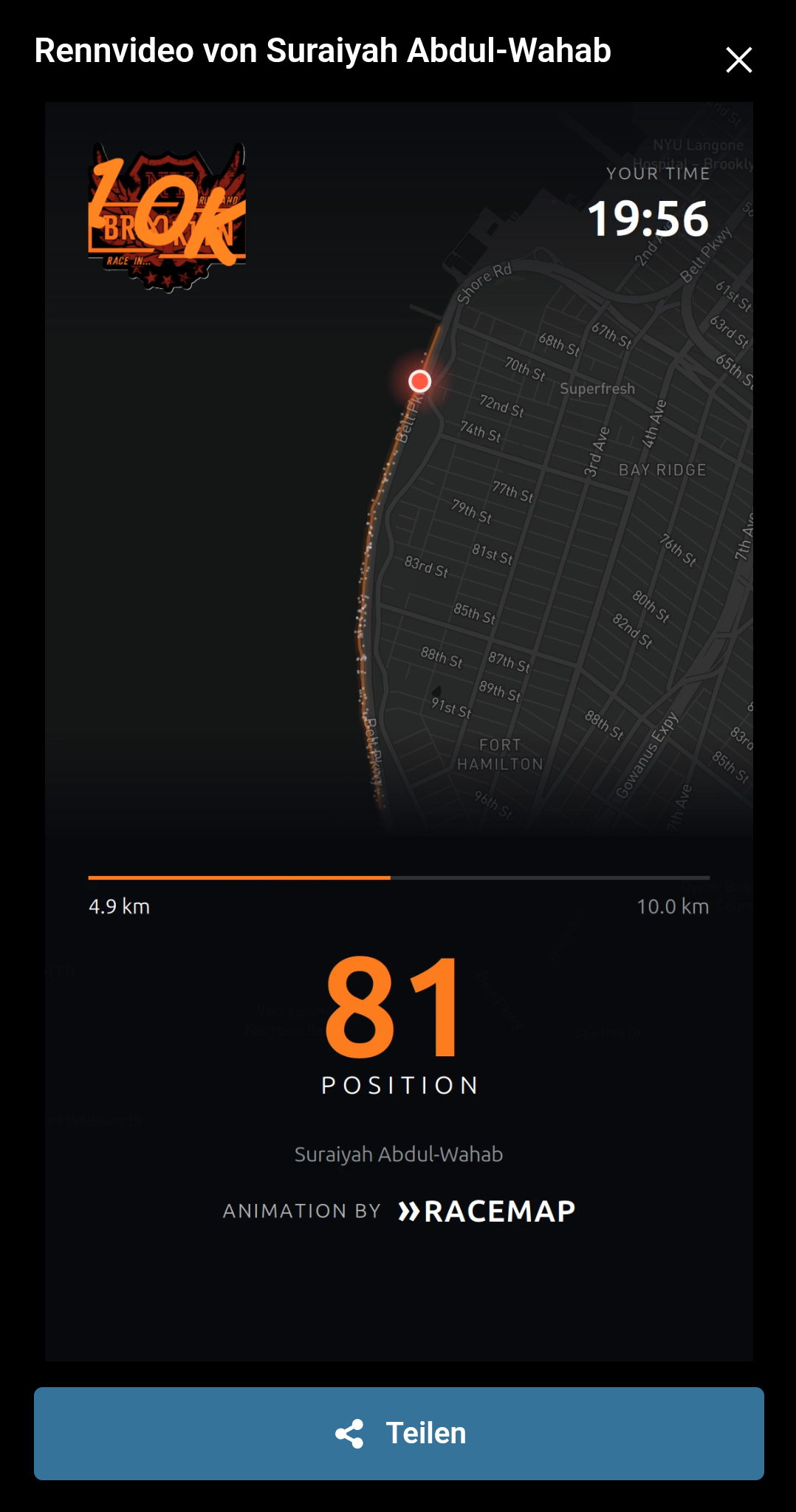
In Live visualization, Share is now the main action on a race video: a full-width button in your event's colour, right where a thumb lands. On phones that can share files. Every shared clip now carries a link back to the tracking map with that participant already selected, so whoever receives it on WhatsApp can watch the rest of the race instead of just the highlight. If you embed the tracking map on your own site, update your iframe snippet with the new allow attribute from the embed documentation — without it, Share and Copy link fail silently inside the embed.
Sharing and saving race videos inside the app
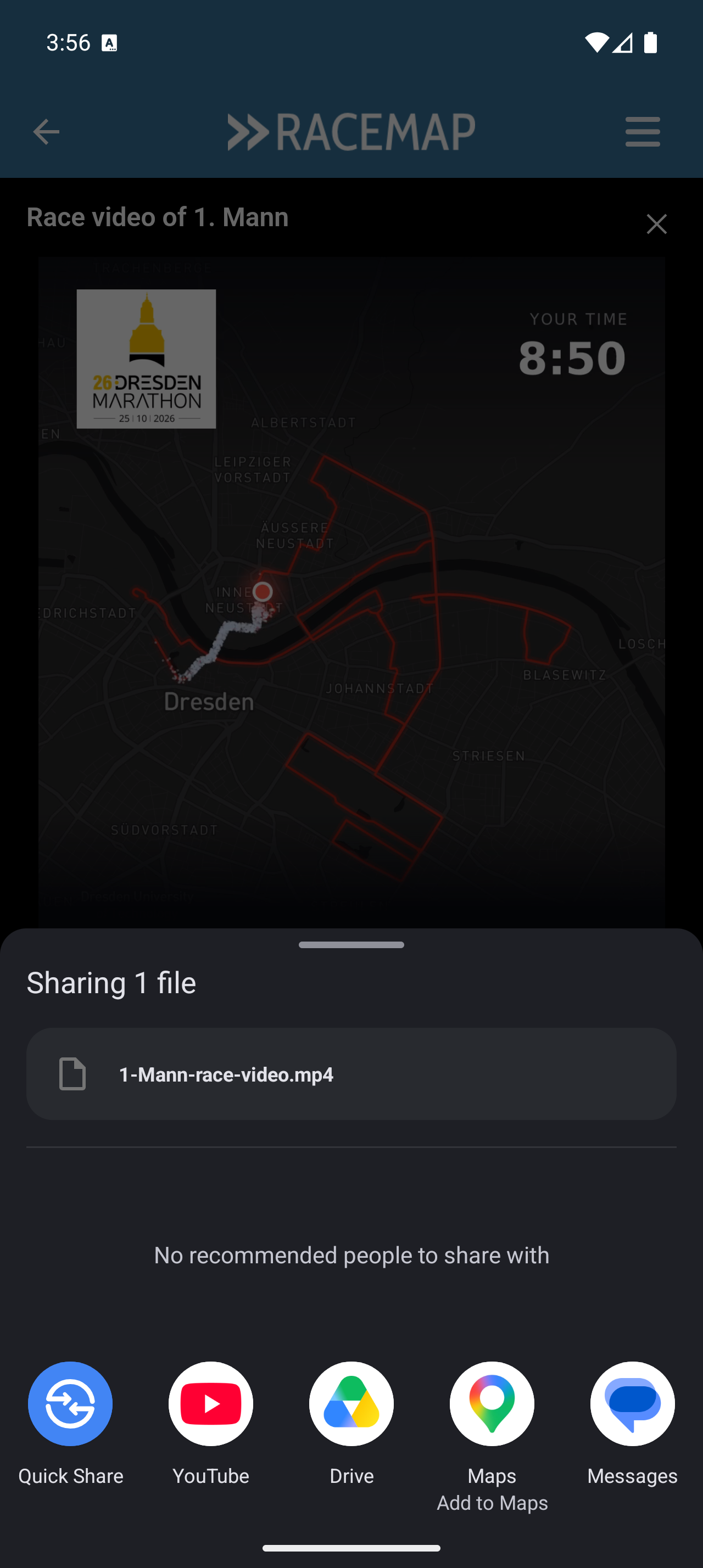
In the Tracking App the race video now has a Share and a Download. The app opens the system share sheet with the actual video file, or saves it straight to the phone's gallery, and the tracking map's own Share button works there too. Spectators watching in the app no longer hit a dead button. This improvement arrives with app version 4.1.15, so your participants and spectators need the new build from the store.
"Show own position" works in the app again 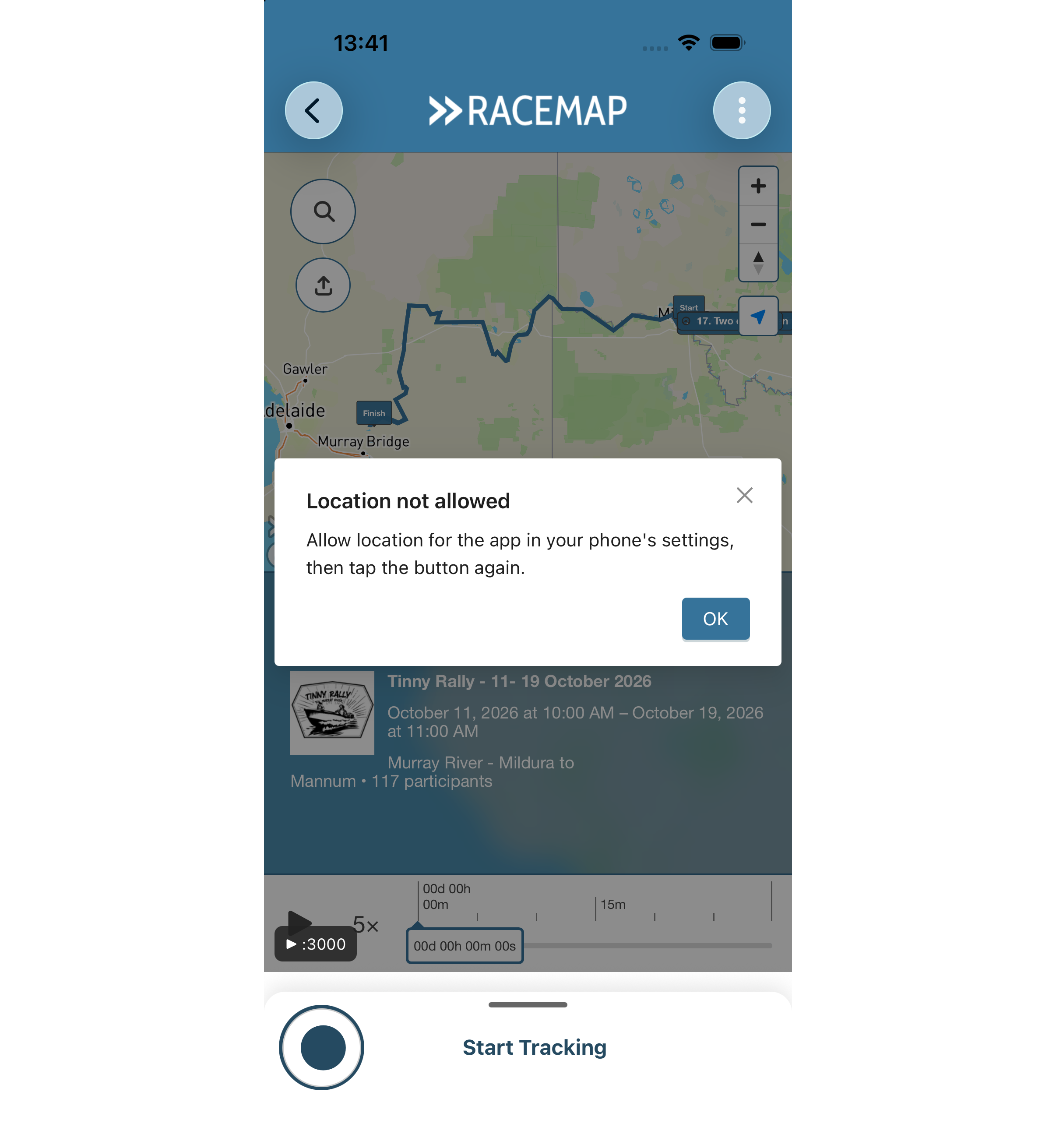
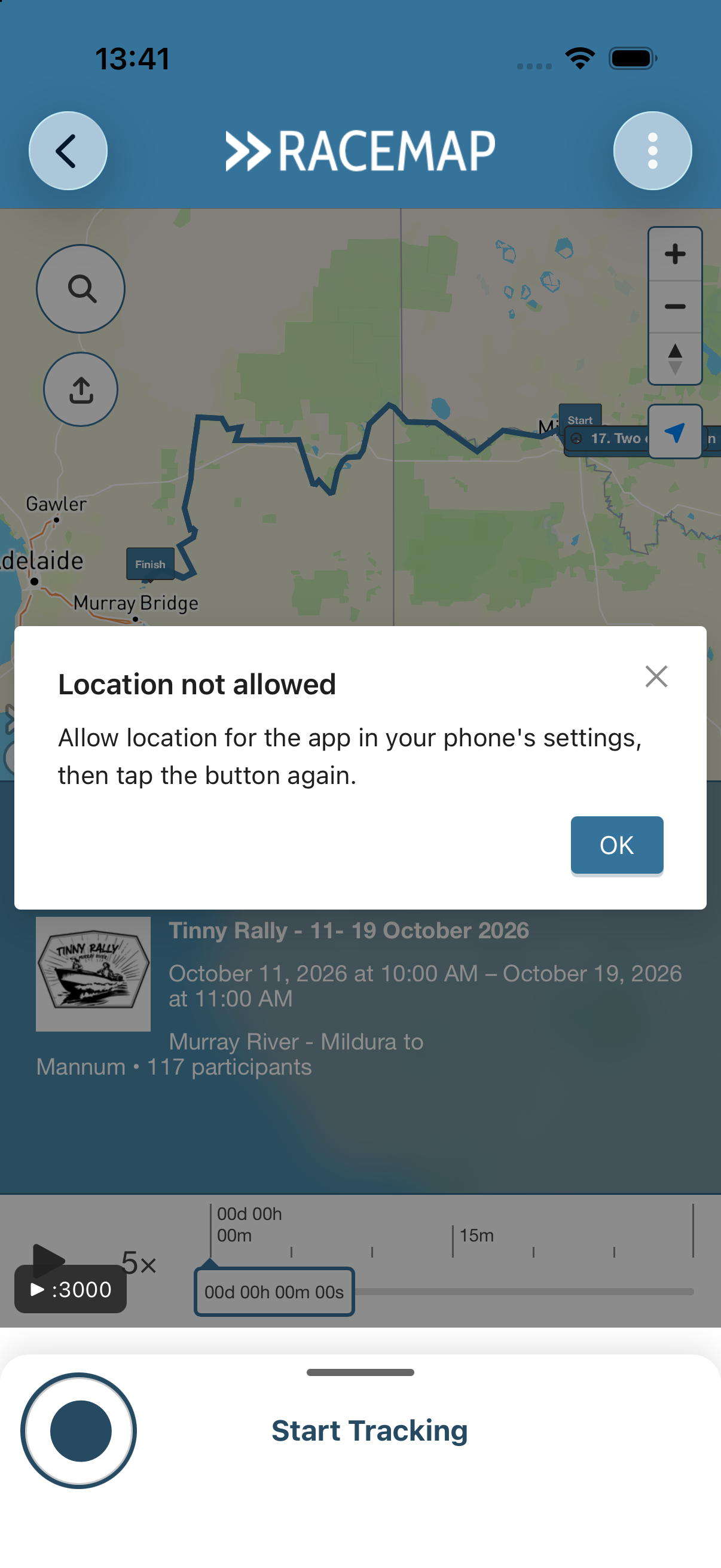
Tapping "Show own position" on the tracking map inside the Tracking App used to do nothing: the permission popup appeared, you tapped OK, and no blue dot ever showed. Now the map asks the phone directly, and in the Android app it asks the app to re-request the system permission — so someone who said "no" the first time gets a second chance without reinstalling anything. When location really is off, the map says where to turn it on instead of stopping silently, and it keeps searching through a weak first fix instead of giving up after five seconds.
Your event's colour and logo, everywhere
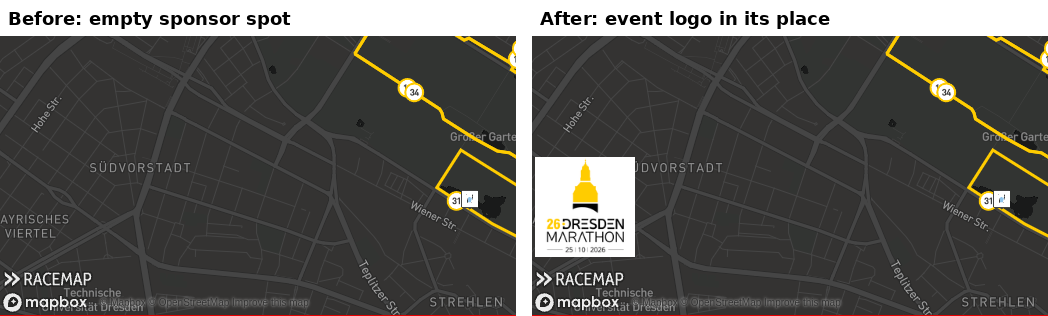
The tracking map has always used your base colour — but the player inside the Tracking App ignored it and painted the bottom bar, elevation chart and time slider in the app's blue. The event's base colour now wins in every app, custom apps included, exactly as it does on the web. The lower-left corner of the map is no longer empty when you run no sponsor logos: your event logo appears there instead, linked to your event website (if you set one).
Participant flags on the map are also sharper — they used to be drawn large and shrunk by the graphics card, which blurred the names away on standard-resolution screens. The tracking map documentation describes our new logo fallback.
Exact distance to the finish
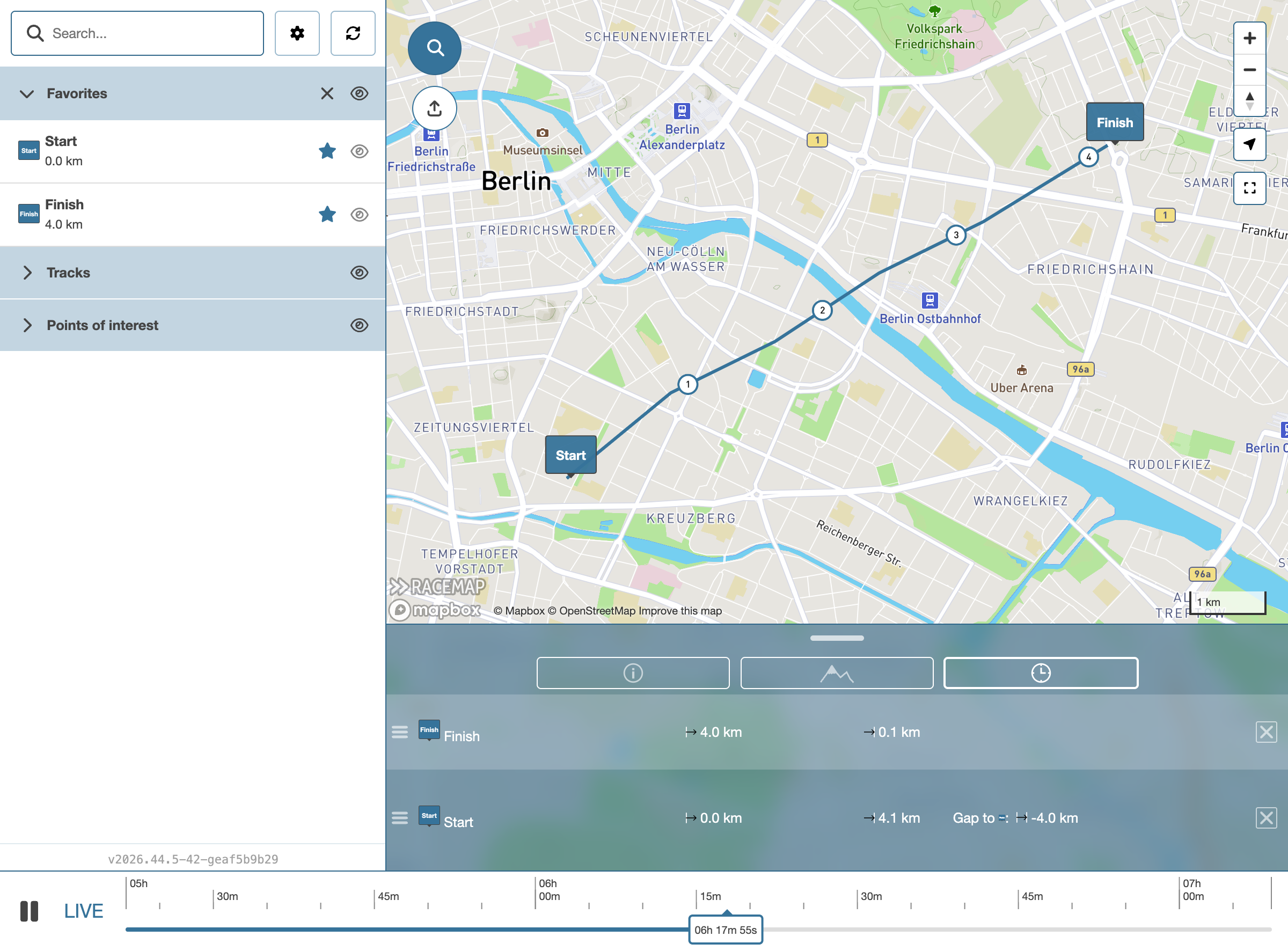
In the tracking map - live and reply - the distance to the finish, the end of the elevation chart are now measured against the exact length of your shadowtrack. They were previously calculated from a simplified copy of the route, which could overshoot by up to ten metres and disagree with your split offsets.
Your event times picker finally fits on a phone
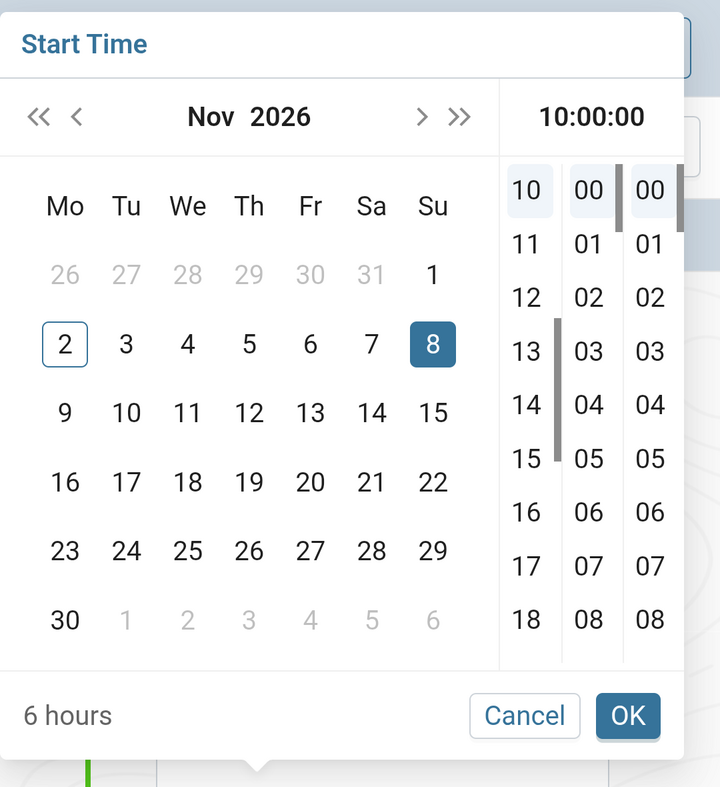
In the event editor the date range picker used to open half off the screen on a 375-pixel phone: month navigation gone, the first weekday columns cut off, the end date reduced to a one-pixel sliver. The calendar is now narrow enough to fit and shifts itself into view wherever it opens. The Map tab is fixed too. The element list used to leave the map 126 pixels wide; on a phone the map now sits on top at full width with the element list below it, still resizable and collapsible. Just two of our current improvements for a better mobile usability. More will come.
See your geo import working
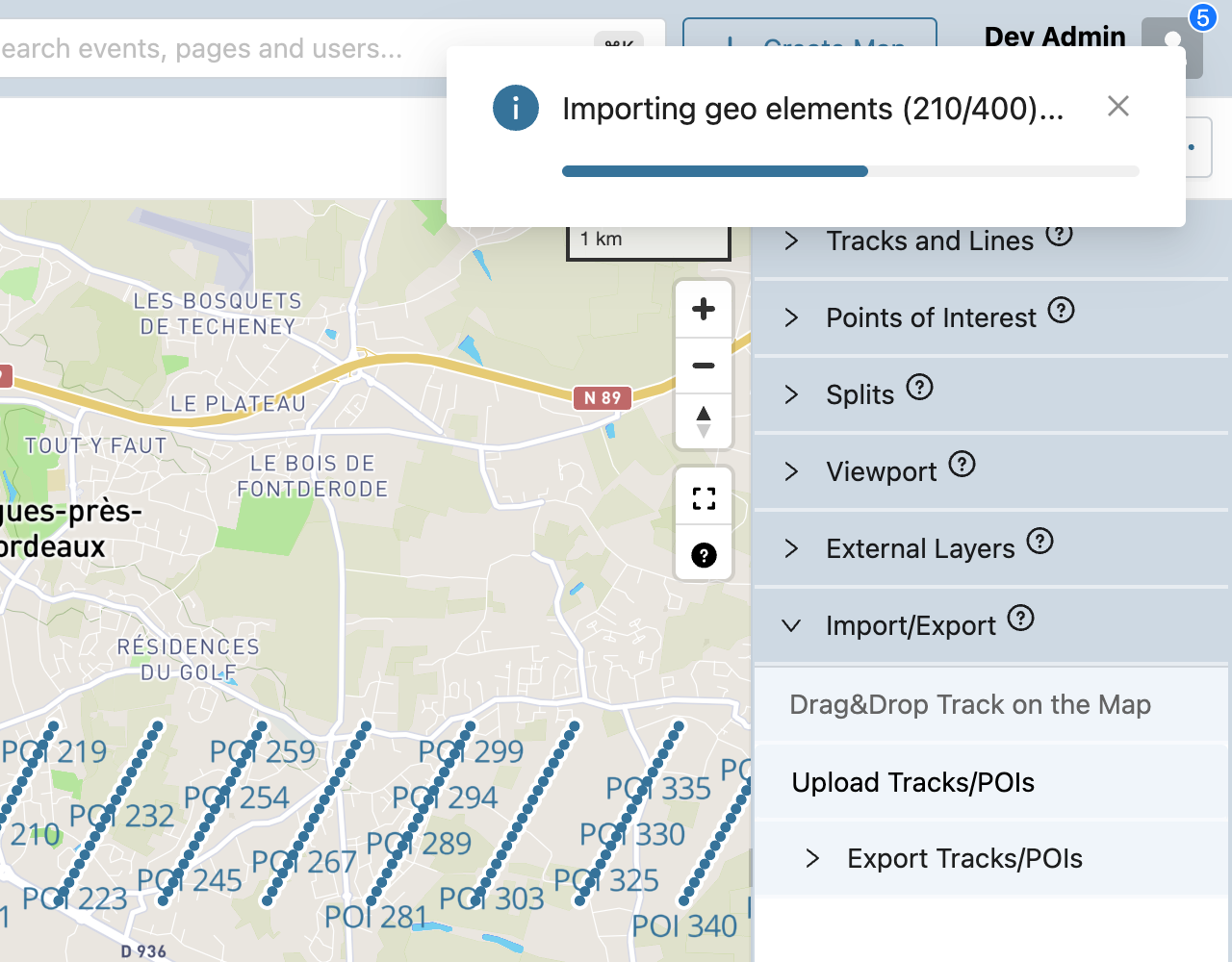
Importing a large KML into the map editor looked broken: the "Importing geo elements…" message vanished after a few seconds, nothing moved on the map, and pressing F5 silently killed the import halfway through. In the event editor the message now stays until the import finishes and counts up through your file, with a progress bar. If you try to reload or navigate away mid-import, the browser asks first — so a long import is no longer lost by accident. Status colours across the whole back office now match Racemap's palette instead of the default framework blues and oranges.
Long contest names no longer collide
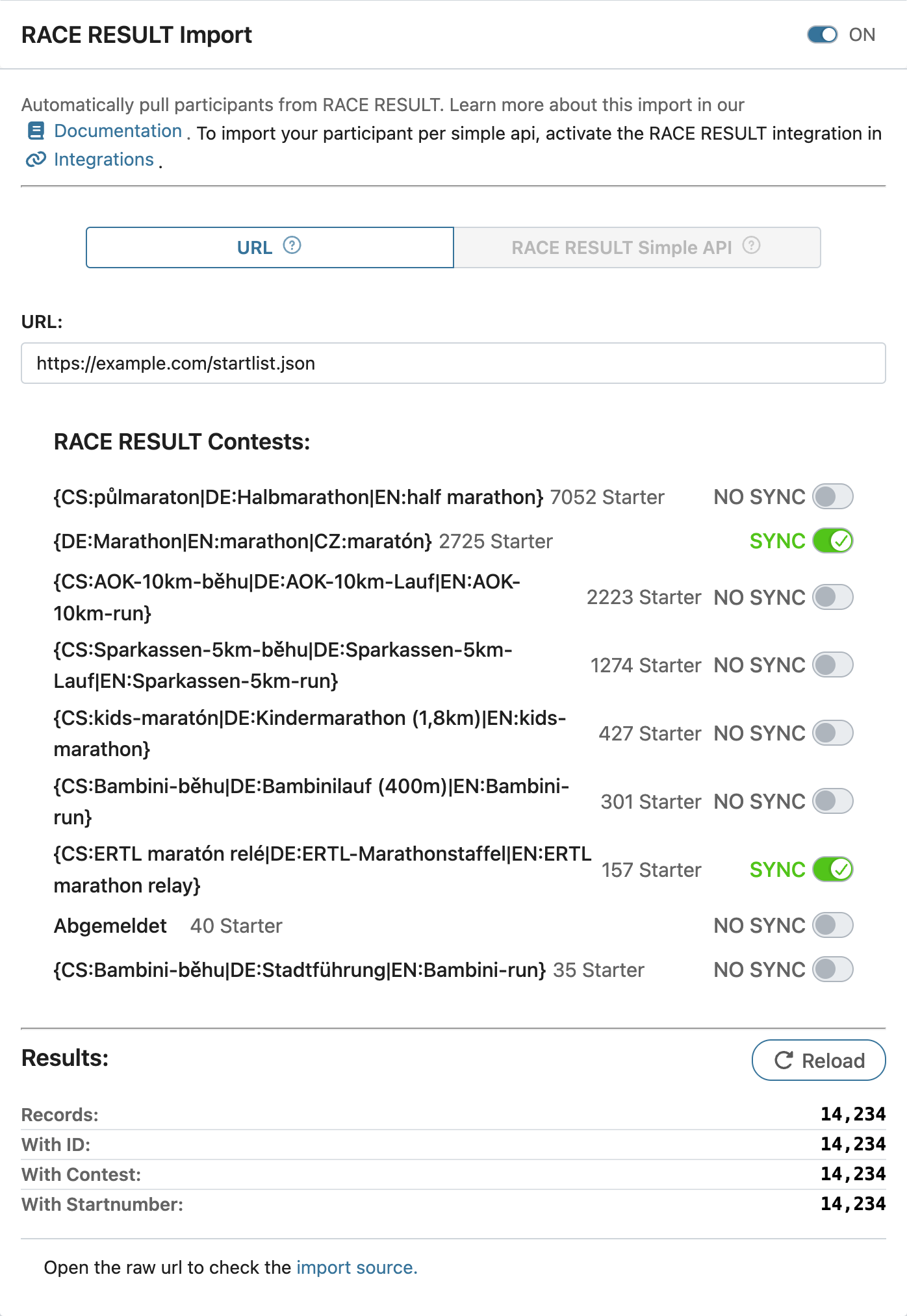
In the event editor, importing from RACE RESULT with long contest names used to make the rows overlap, so you could not tell which name belonged to which switch. Rows now grow with their label, and the participant count beside each name stays on one line.
Registration setup with one field instead of three
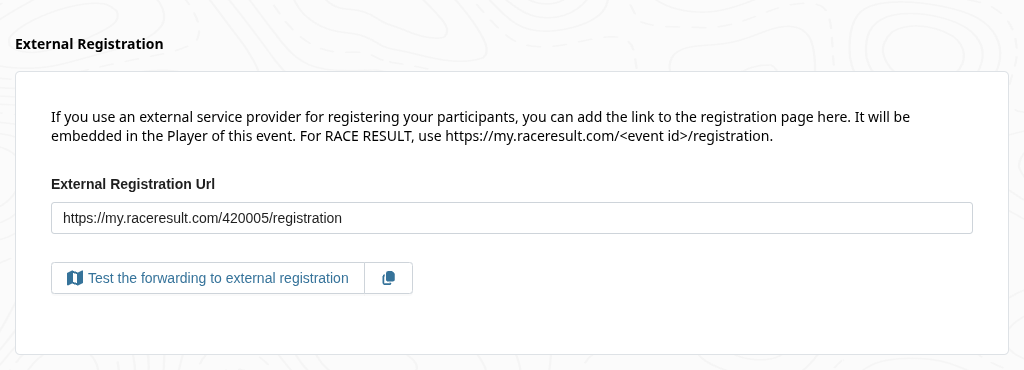
Setting up registration in the event editor meant finding a RACE RESULT registration key and a form name, which few people could locate. The embedded form is gone; registration is now a single link field. Your existing RACE RESULT events were converted automatically to point at their my.raceresult.com registration page.
A base colour that stays opaque
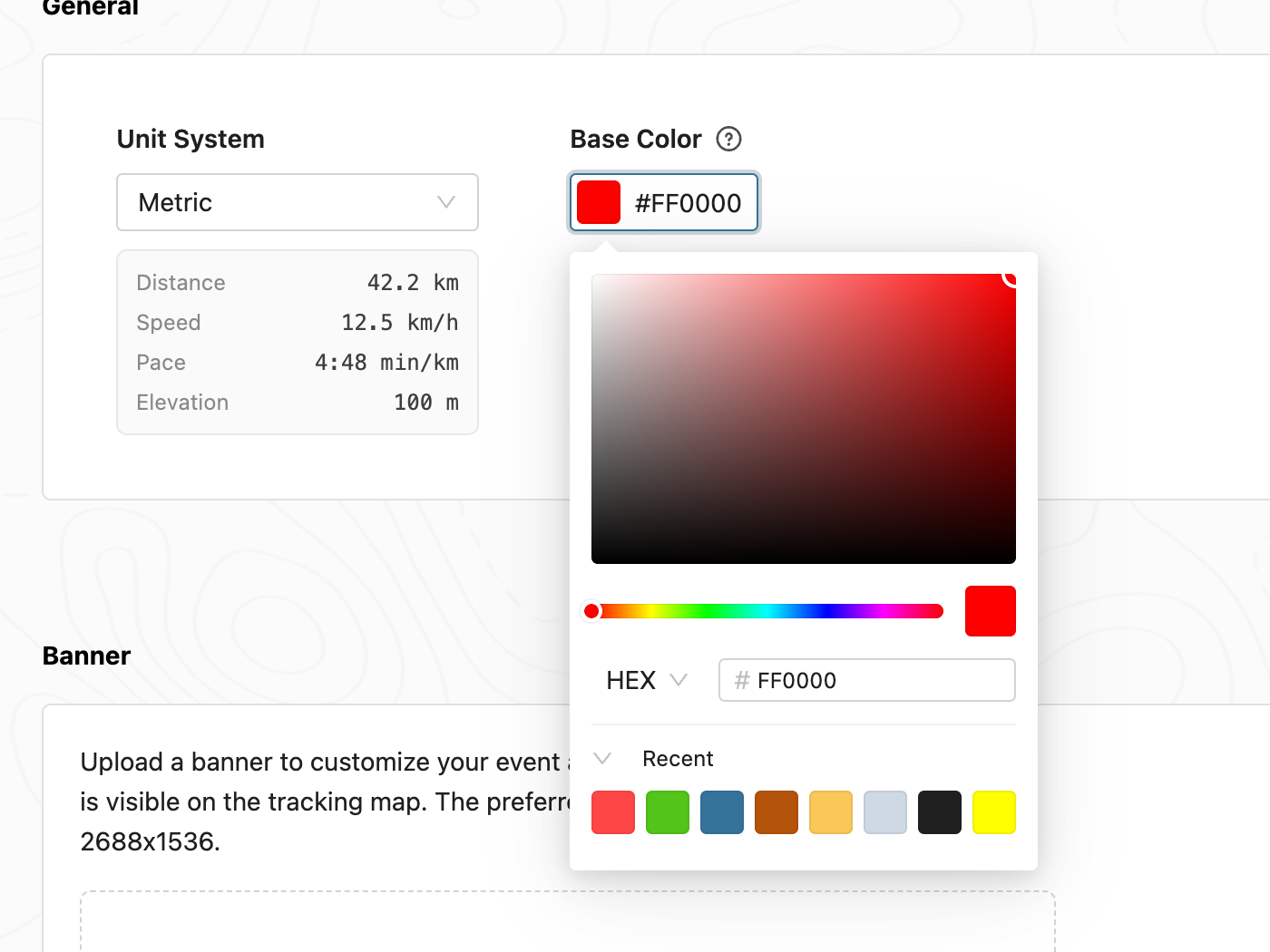
Picking a semi-transparent base colour in the event editor quietly made every participant marker, track and POI see-through, and the cause was almost impossible to spot. The Base Color picker no longer offers a transparency slider, and existing events with a transparent base colour were converted to their solid equivalent.
Copy an IMEI on your phone
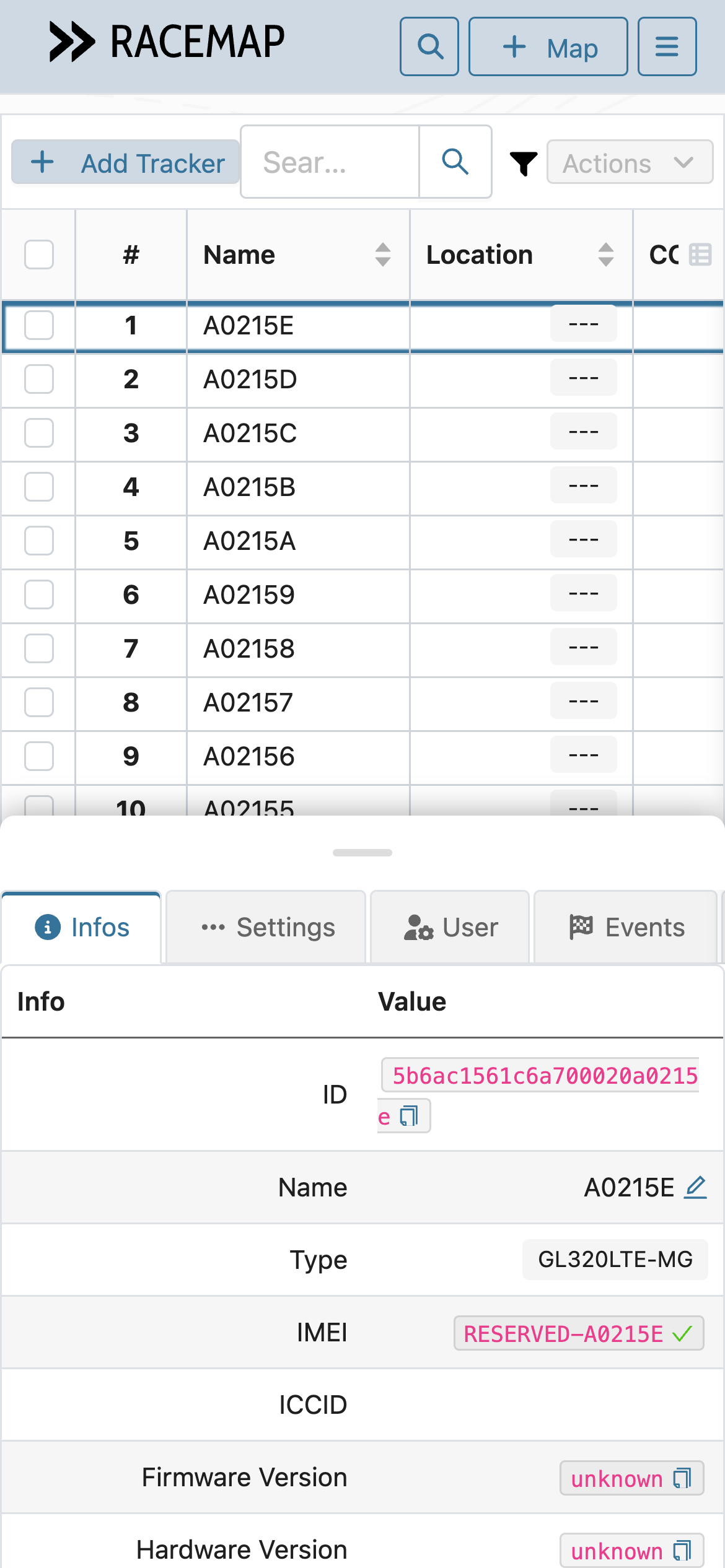
In Tracker Management the info sheet's copy buttons sat past the right edge of a phone screen, and tapping one made the page jump sideways instead of copying. The table now fits the sheet, long values wrap, and the last rows are reachable at every sheet height. Four taps in a row now copy the IMEI four times.
The tracker table keeps scrolling
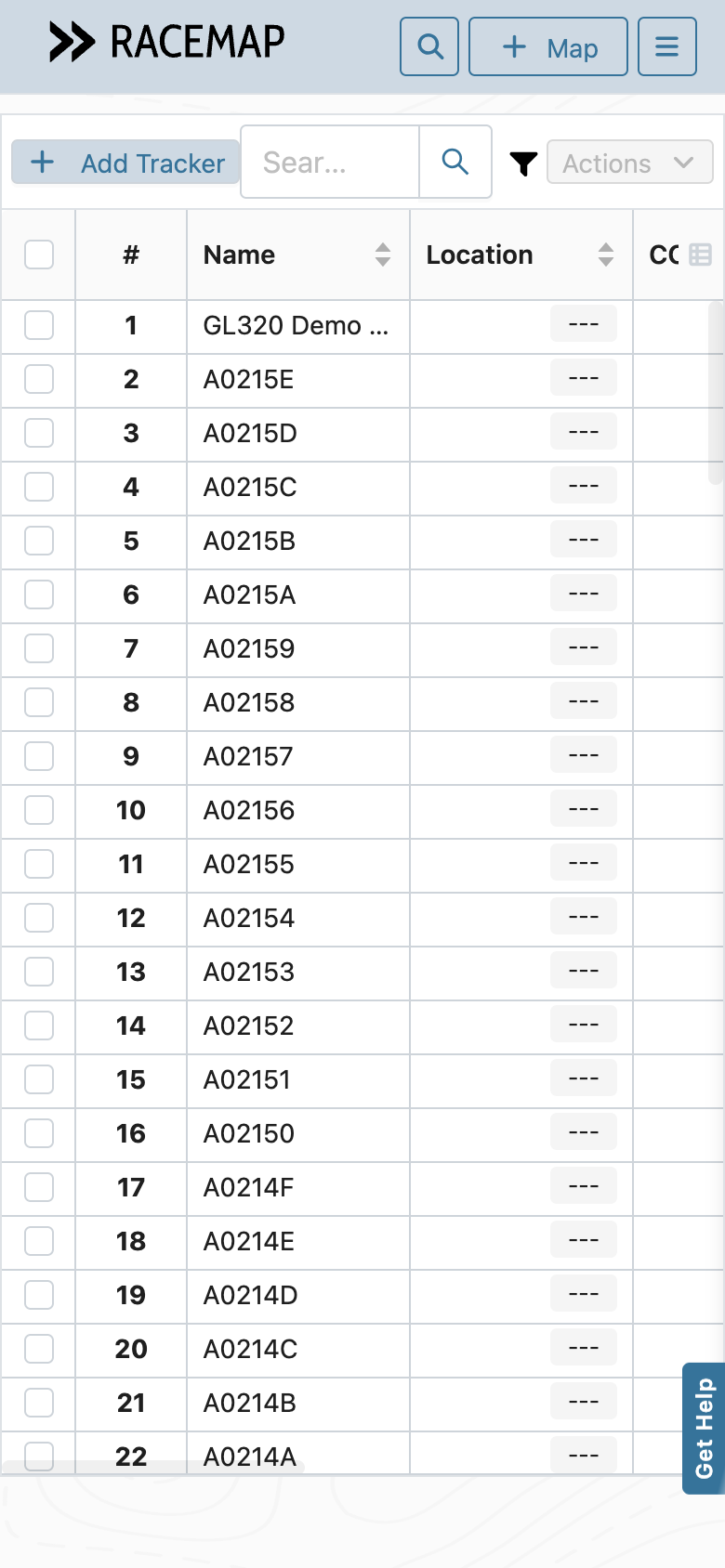
In Tracker Management on a phone, the tracker table sometimes stopped reacting to swipes entirely — the page moved instead, and only a reload or rotating the phone brought it back. A long press was enough to trigger it. That is fixed, and the table now ends inside its panel instead of running off the bottom of the screen.
A stalled config update says so
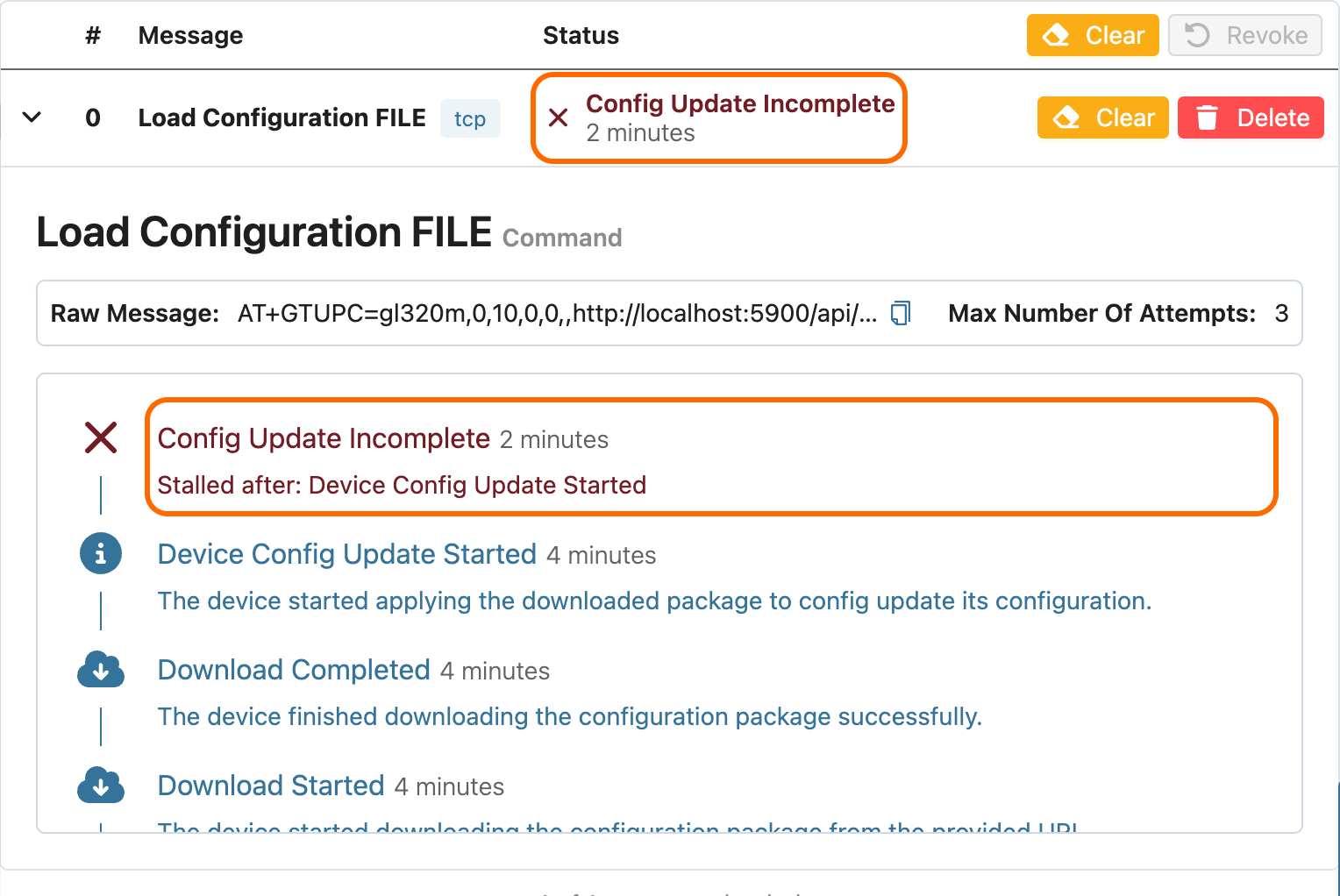
In Tracker Management, a configuration update that reached the tracker but never finished was reported as "2nd Sent Failed — Message was not sent", which is the opposite of what happened. It now reads Config Update Incomplete, and the timeline names the last step the device actually reached, so you know whether to retry or look at the device.
An email when someone shares an event or trackers with you
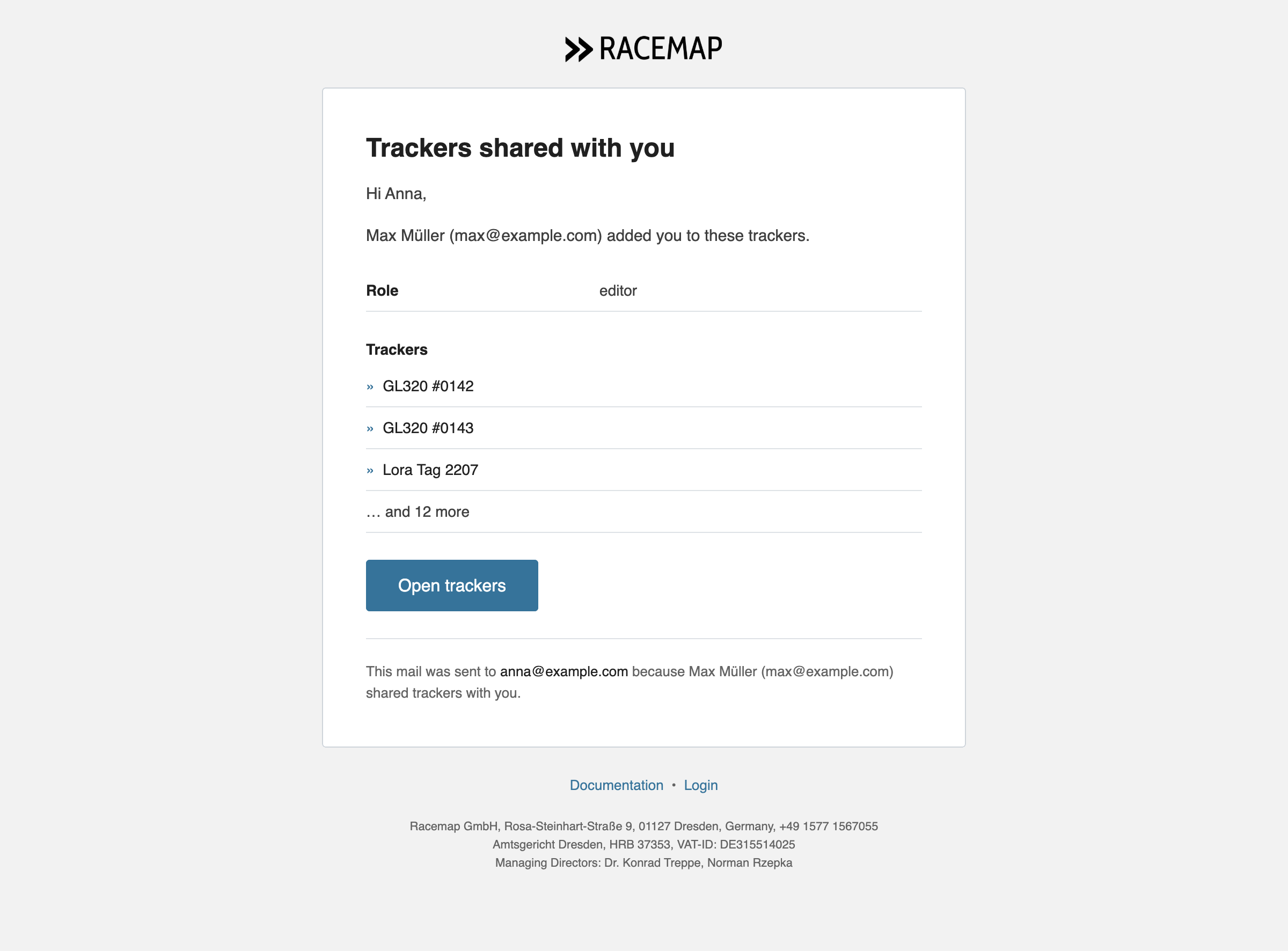
Being added as an editor, handed ownership of an event or given access to trackers used to happen silently — you had to find out on your own. Across the back office, each of those now sends you an email with a direct link: straight to the event, or into Tracker Management with the shared trackers already selected. A bulk share sends one mail listing the trackers, not one per device. See share access and tracker roles.
Clearer import problem and feedback mails
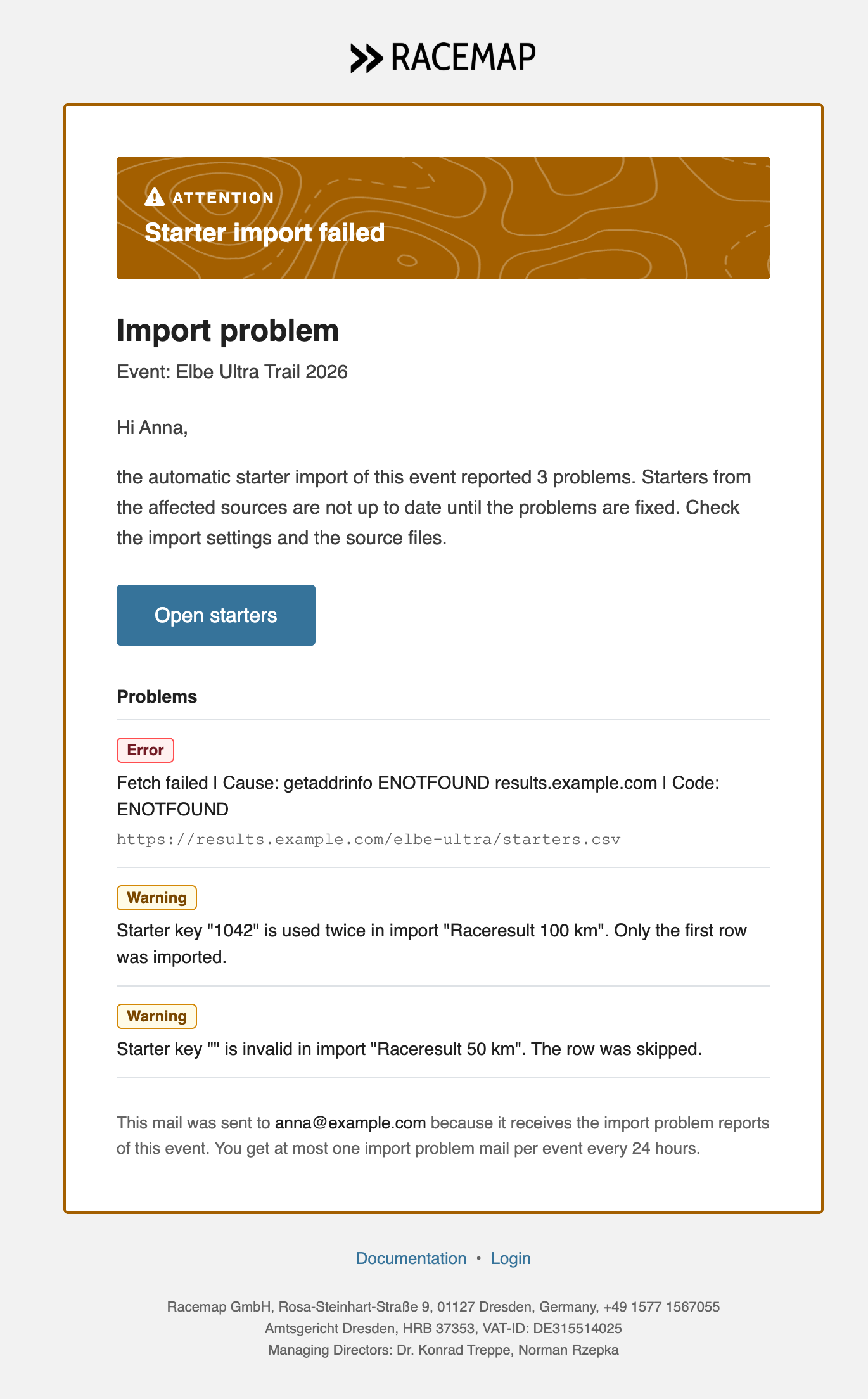
The import problem report now arrives as a readable list: each problem marked as an error or a warning, with its source, and a button straight to your participants. The confirmation you get after sending feedback, and the copy that reaches support, were redesigned the same way.
Help answers that link to real documentation pages
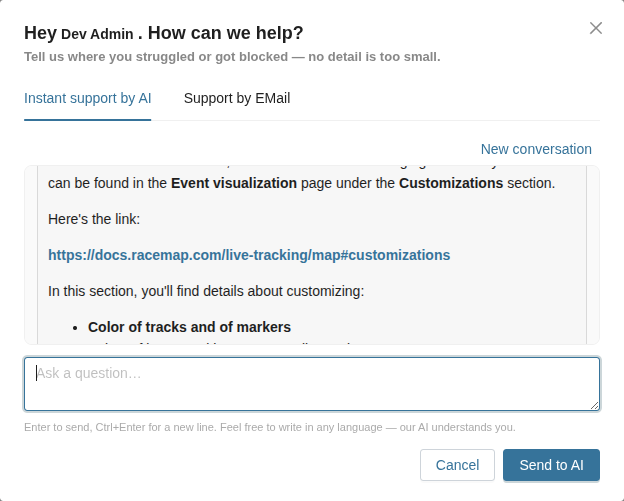
Our instant help assistant linked to raw file paths that either showed you unformatted source text or led nowhere. Across the back office, its answers now link to proper documentation pages. Your conversation also survives a reload — reopening "Get Help" picks it back up where you left off, and "New conversation" starts a fresh one. Enter sends; Ctrl or ⌘ plus Enter adds a line break. Dont't wait for our reaction time, get instant answers.