

Your map, framed your way
This release makes the tracking map open where you want it, and the map editor keep what you give it. Imported splits come back, the elevation chart follows your shadowtrack, and a save is no longer lost when you leave halfway. The event editor now fits a phone, and group events share edit access.
What's new
Your tracking map opens on the view you saved
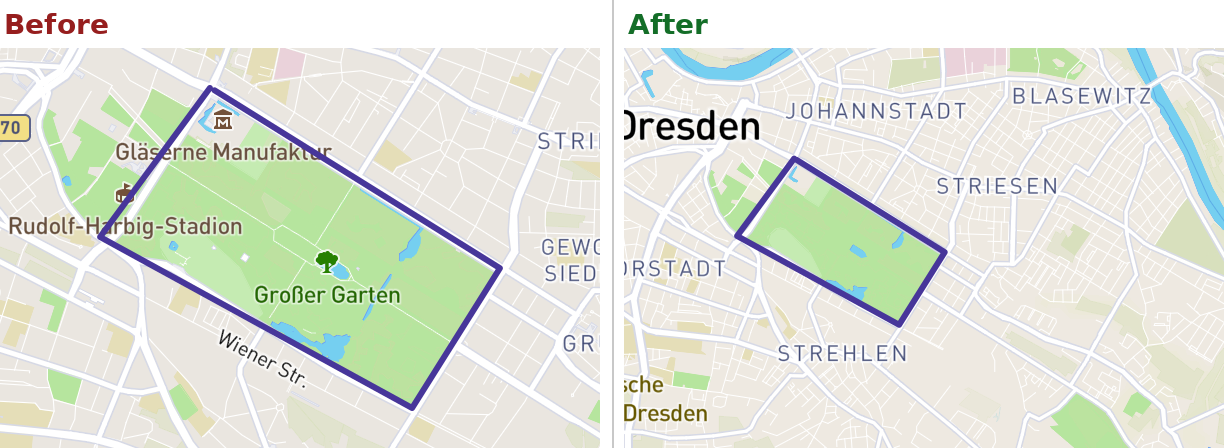
The tracking map and its preview image now open on the viewport you saved in the map editor. And if you saved no viewport, Racemap frames the visible tracks, points of interest and splits. Hidden tracks no longer pull the frame. A group event's preview image covers all of its contests or stages, and on the tracking map the live events are framed by default.
The element panels in the map editor are reworked. Yes/no settings are switches, and line width has a − / + stepper. The edit, download, and delete buttons now sit above the actions table, so on a phone they are a short tap away from the element you opened.
Re-import a map export and get your splits back
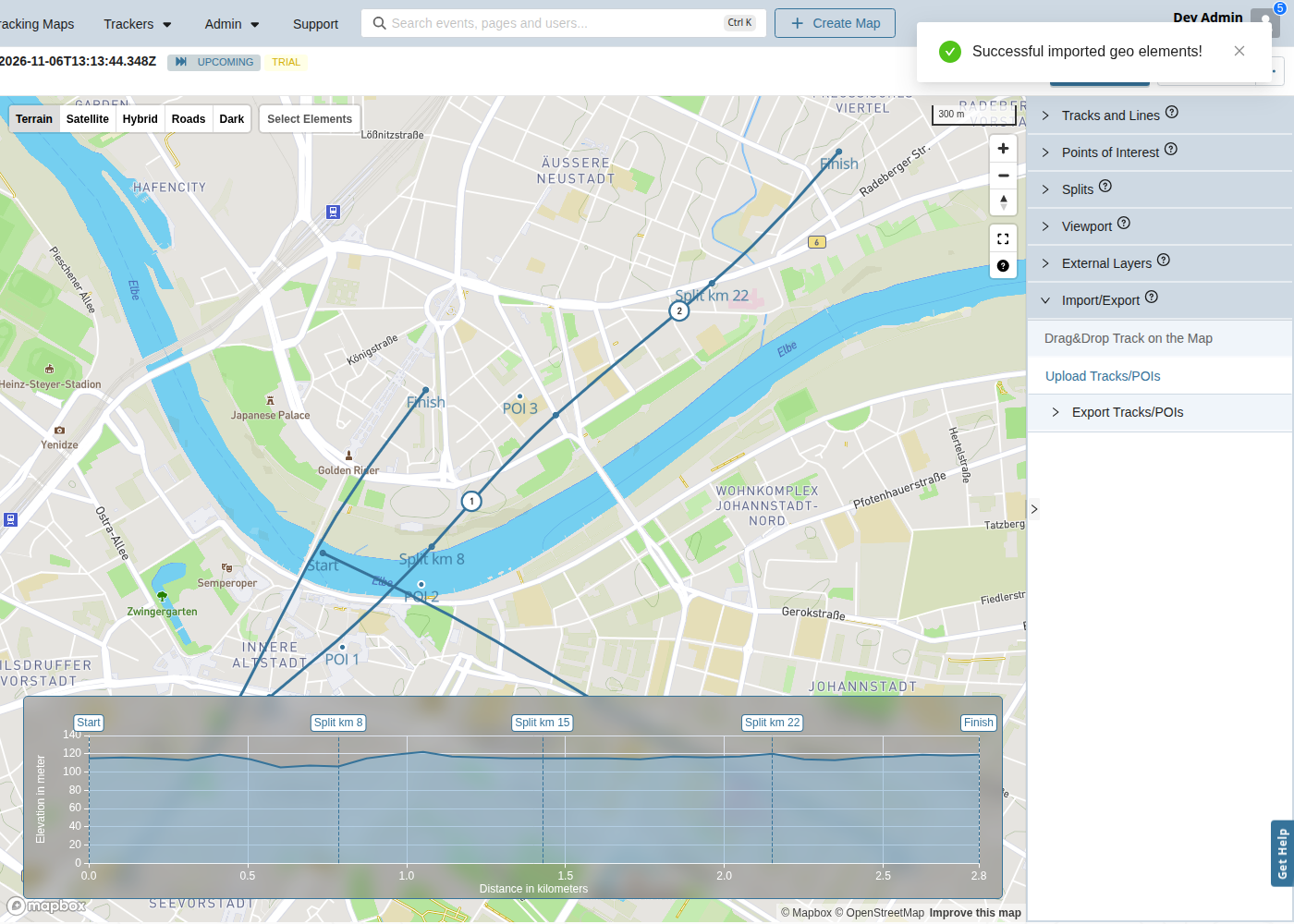
In the map editor, you can again import a GPX or KML file you exported earlier, and every split lands back on its track. Before, the import dropped all splits and showed one error message per split. The import now also restores whether a track is the shadowtrack, the timekeeping setting and the line width. Start and finish merge into the event's existing splits, so you get no duplicates.
The elevation chart shows only the shadowtrack you picked
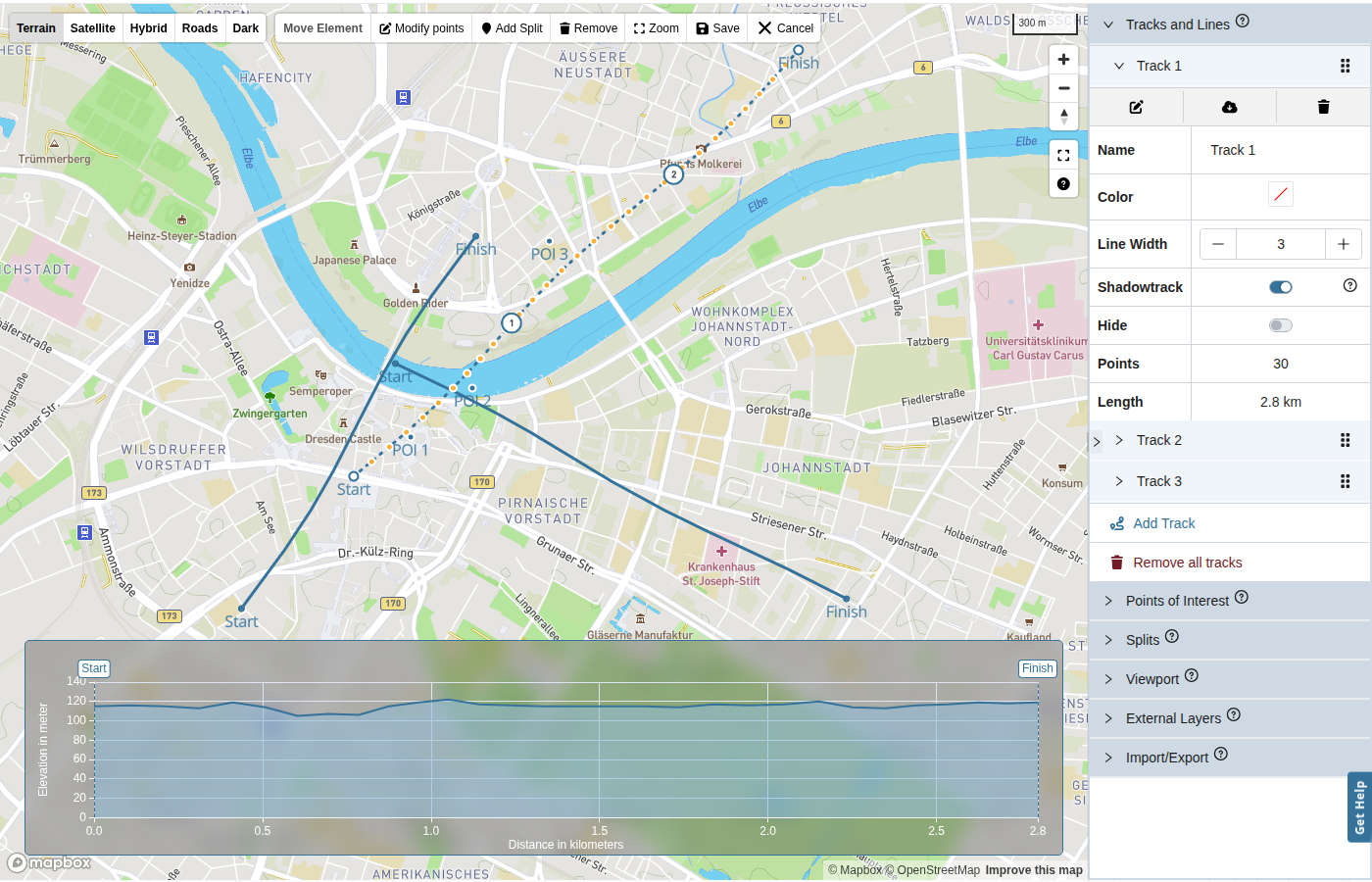
In Live visualization's map editor, switching the shadowtrack now replaces the elevation profile straight away. Before, the old track's profile stayed in the chart next to the new one until you reloaded the page. The elevation charts in the Prediction tab get the same fix.
Leave the map editor without losing track of your changes
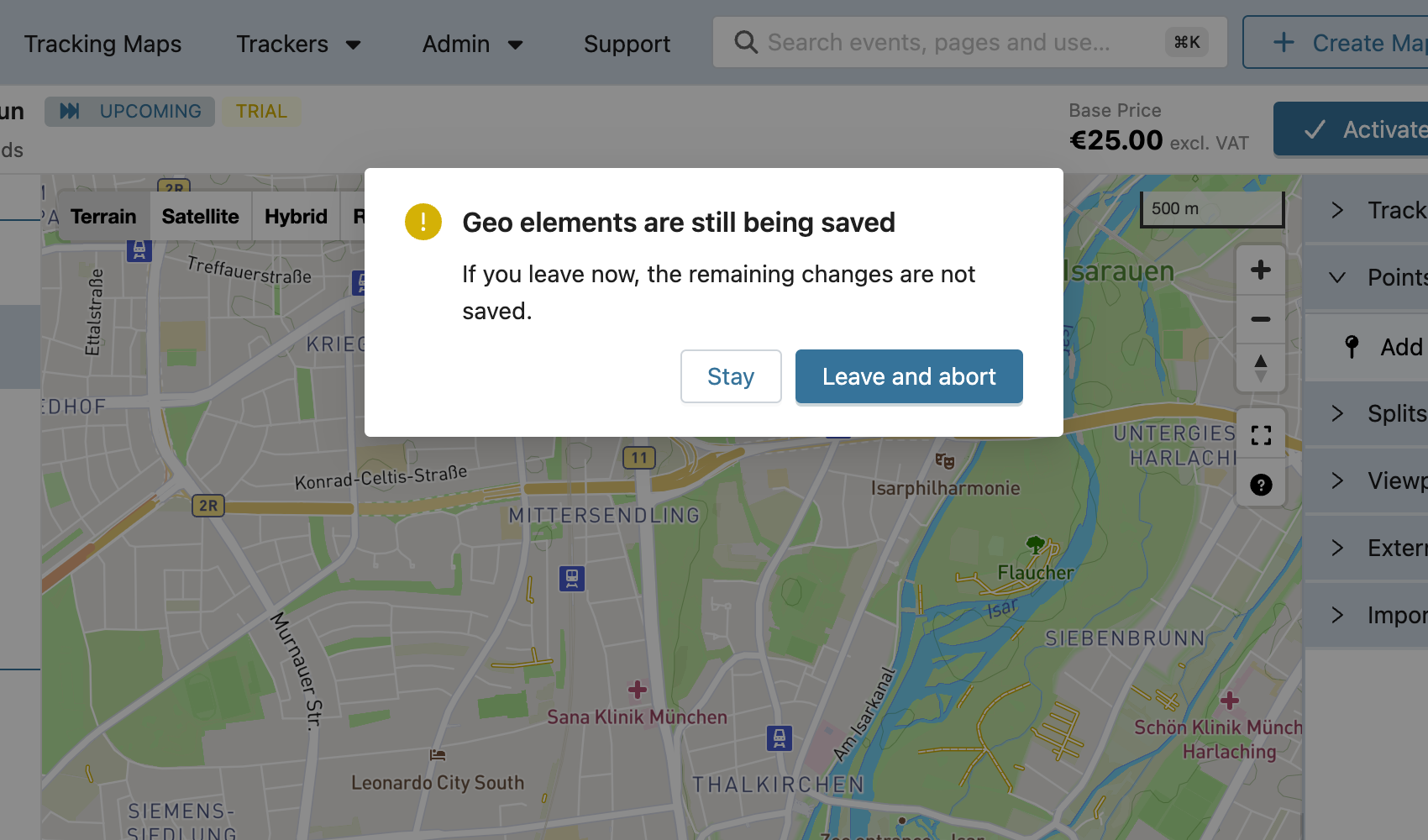
Leaving the map editor while changes are still saving now asks you first. This covers deletes, edits, new elements, reordering and shadowtrack changes. Pick "Leave and abort" to stop the save, or "Stay" to let it finish. Before, a long delete could keep running after you opened another event, and that event's map would then show the elements of the map you had just left.
Set up your event from your phone
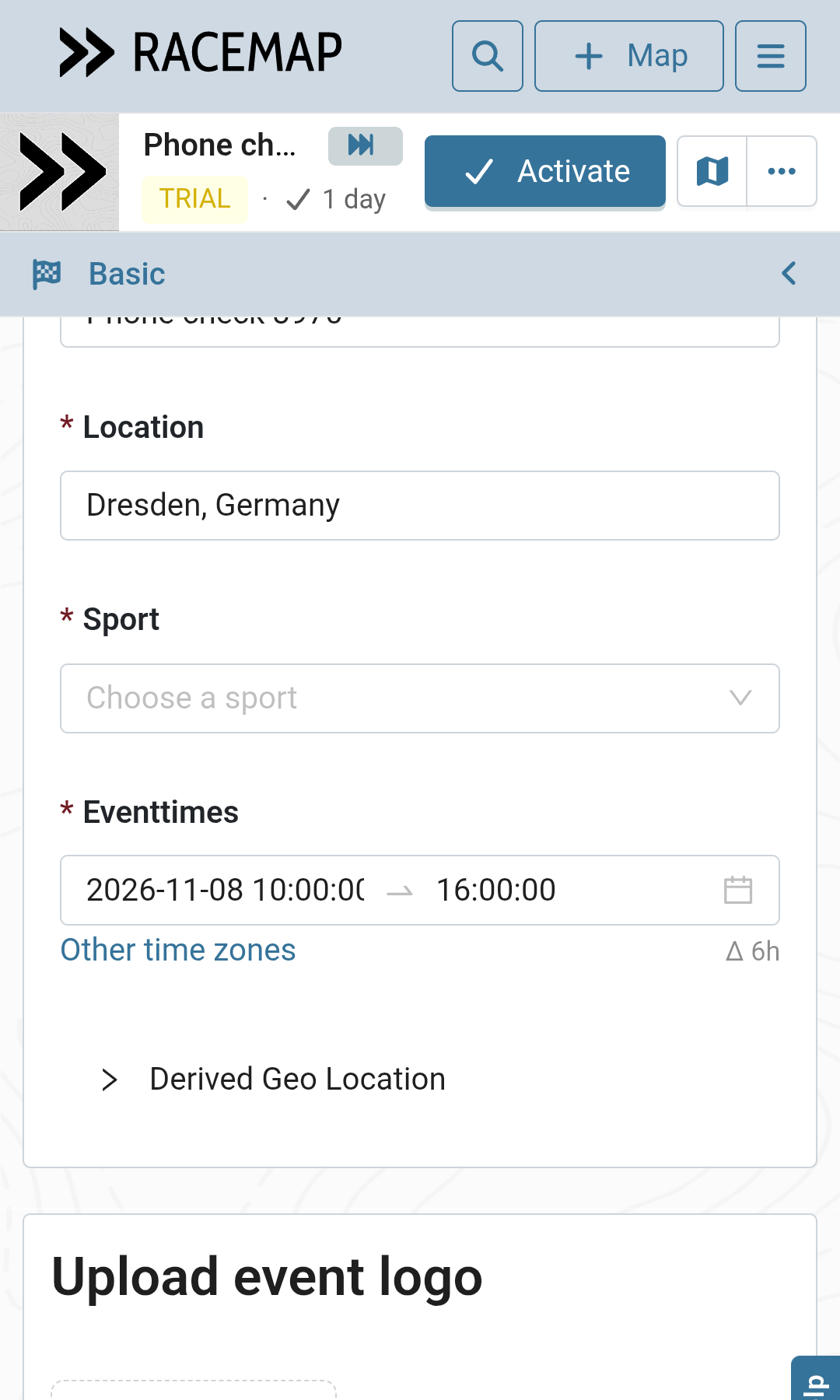
In the event editor, every tab now fits a phone screen. Before, Basic, Analytics, Passcode & Keys, Visualisation, Leaderboard and Advanced scrolled sideways, and some labels shrank to one letter per line. Add-on cards put the price on its own line with both buttons below it. Checkout is a single column, and wide tables scroll inside their own box instead of pushing the page.
Give a whole group event to your team in one step
Any RACEMAP account, who can edit a group event can now edit all of its contests and stages. Add a colleague to the group once, and they can work on every contest and stage in it. Remove them from the group and they lose that access. A contest keeps its own editors, and you can now change those editors in the role manager as well.
Drag contests and stages exactly where you want them
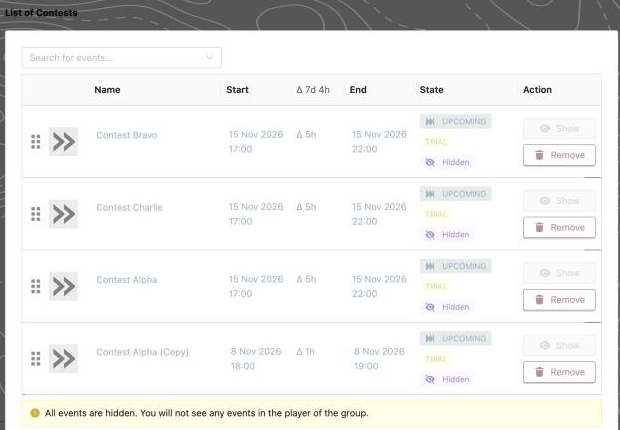
In group events, dragging a contest or stage in the event editor now puts it where you drop it. Before, dragging the first row onto the third swapped those two rows instead of moving the first one down. When you duplicate a contest, a switch decides whether the copy joins the same group. A copied stage always joins its group.
Your participants' app opens again on iOS 27
On iOS 27, version 4.1.15 of the RACEMAP Tracking App closed right after the splash screen. Version 4.1.16 fixes this and is in the App Store now, so your participants can track on the latest iPhones. The white-label apps are built the same way.
Participant imports: JSON only
In the event editor's participant import, a generic import source must now serve JSON. An XML source now fails with a clear message, both under "Check import" and in the problem report of a sync. The import format guide describes the format you need. When one sync finds several problems with an event, you now receive a mail that lists all of them.
SAFEMAP: Separate participants' tracks at a glance
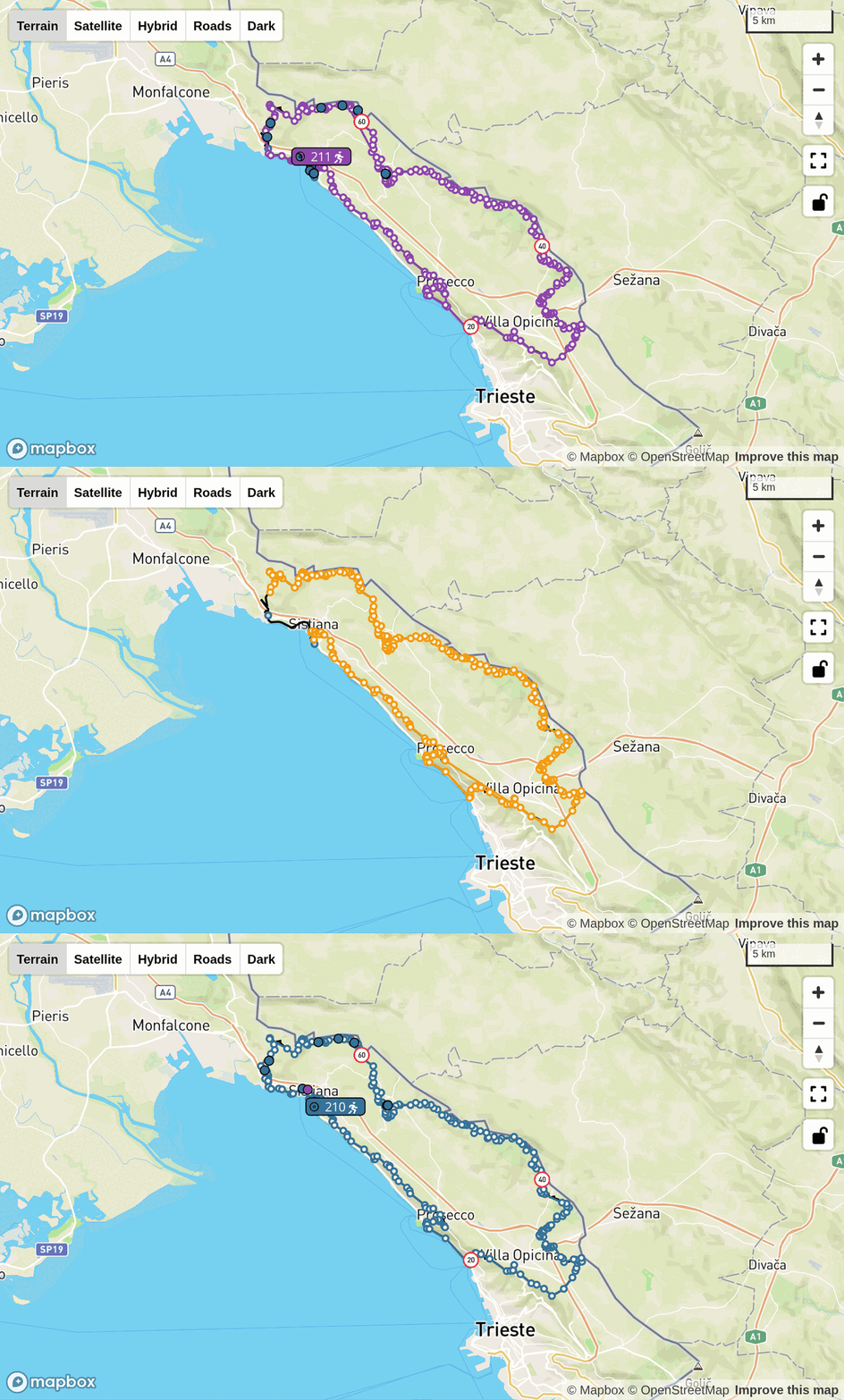
In Safemap, the recorded track of the participant you select is now drawn in that participant's marker colour. When you switch participants, the track colour switches with them and always matches the marker on the map and the colour box in the participant list. Locations away from the shadowtrack are still marked in red.
Read the Connection Chart like a pro
In Tracker Management, the Connection Chart now has its own Connection Chart guide. It explains everything you see, in order: the toolbar, the statistics with outage durations, delay and battery, the network lane with operators and countries, the message lane, and CSV and image downloads. Old links to the chart's section on the debugging page still lead you there.
A steady filter bar while trackers reload
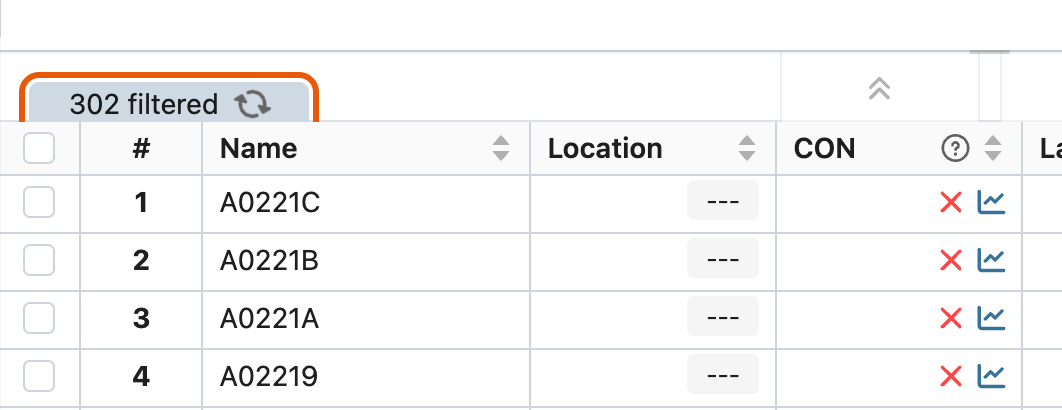
In Tracker Management, the "filtered" count in the top bar now stays on one line while trackers reload. During a reload, the spinner takes the place of the filter reset icon, and the icon comes back once the reload is done.
Other changes
- All system mails share one layout and are documented in one catalog; non-square event logos keep their proportions
- Group event membership is handled in one place; a contest removed from its group no longer shows under that group in search
- A new batch job builds a hiking overlay tileset
- Map import also restores a split's offset, sport type and speeds
- Fewer dropped connections between the API and the web server
- Documentation: product videos for Safemap and Prediction, and orphaned images removed